Why Transparent Reporting Matters More Than Ranking Bragging

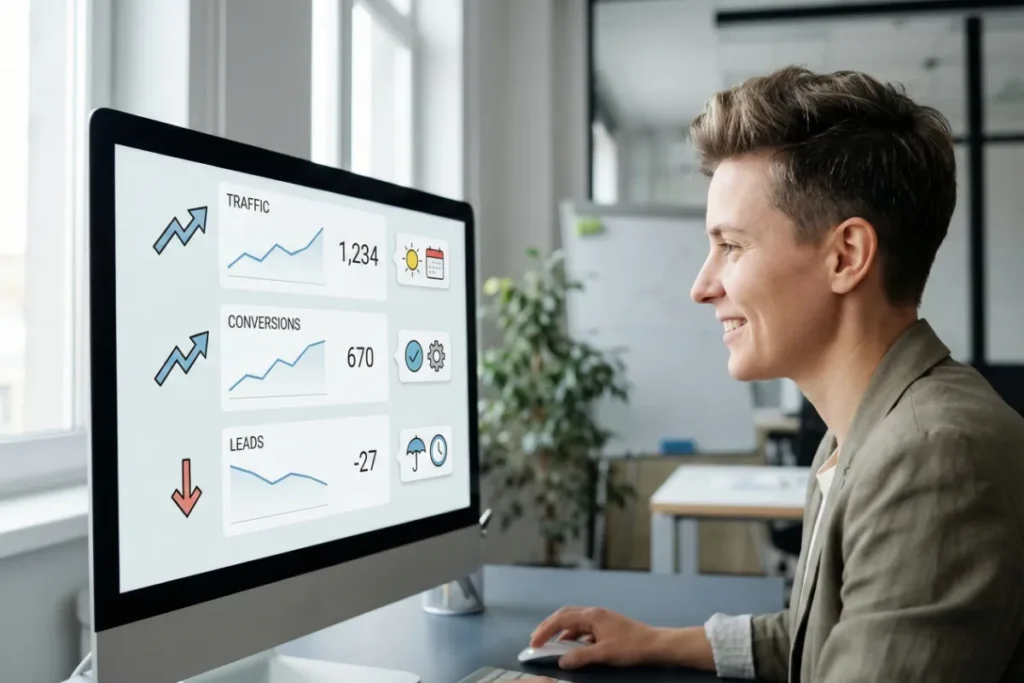
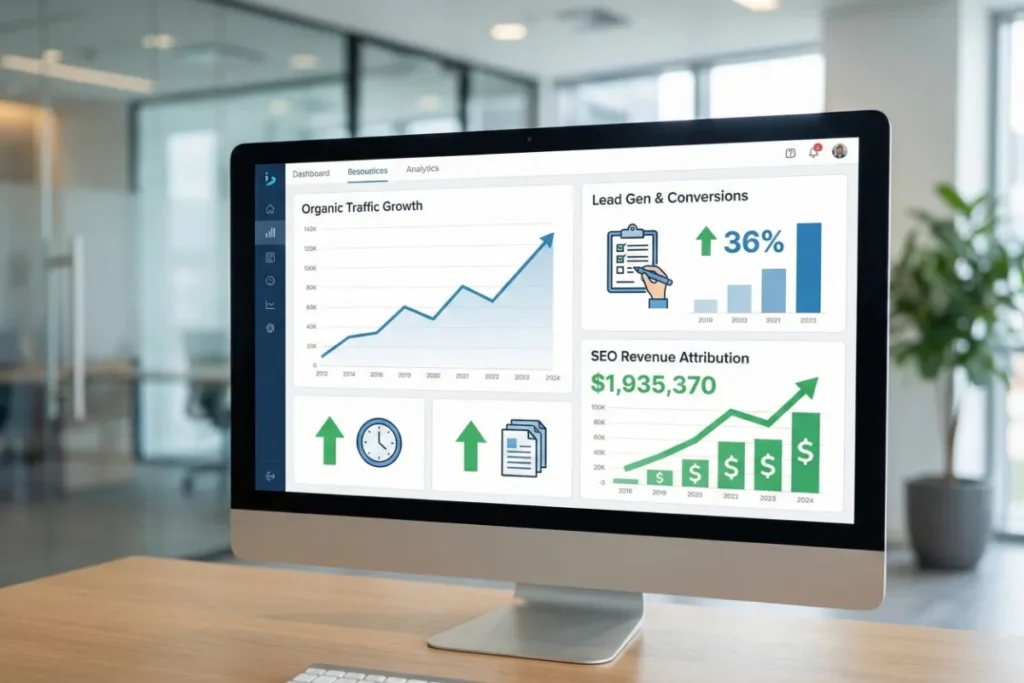
Transparent reporting is more important than focusing on ranking bragging, as it shows what truly grows your business: leads, conversions, and revenue. Ranking reports just indicate keyword positions that don’t reflect what customers see or how much money you’re making.

We are Octillion Corp, and we help Australian businesses track these metrics. When teams can clearly understand these numbers, they make better decisions and increase revenue.

In this article, we’ll cover what transparent reporting looks like and why ranking reports fail businesses. You’ll also learn what metrics you should track instead, plus the biggest reporting mistakes to avoid.

Ready? Let’s get started.

What Is Transparent SEO Reporting?

What Is Transparent SEO Reporting?

Transparent SEO reporting means sharing raw data from tools like Google Analytics and Google Search Console. It also involves explaining metrics in plain language and providing context for every change, like traffic going up or down.

Time to get into more detail about these reports.

Real Data Without Manipulation

One of the positive things about clear-cut SEO reporting is that you receive the actual numbers. Suppose your traffic went down. Then you’ll know that it went down without having to analyze data. Likewise, if your conversions improved, you see exactly how many new leads came in (honestly, that clarity feels rare).

But where do these data come from?

Your agency pulls them straight from Google Analytics without going through any data analysis process. Specifically, they show you screenshots with dates, compare month-over-month performance, and never hide metrics that appear unimpressive.

Clear Explanations Without Jargon

The truth is, nobody needs a PhD in data analysis to understand their search engine optimization report. So, if your agency provides a transparent record to you, they will do it without adding complex ideas from regression analysis that make reports harder to follow.

The best part is you’ll actually know what you’re paying for. When your report says “bounce rate increased by 12%,” your agency explains that means more people left your site without clicking anything, and why it happened.

Here’s another example. Instead of throwing around terms like “SERP volatility,” your agency will say “Google changed how it ranks pages.”

See how much easier it becomes when you get clear reports?

Regular Updates With Full Context

data analysis

A lot of people think monthly reports are just data dumps, whereas in reality, they tell the story behind the numbers.

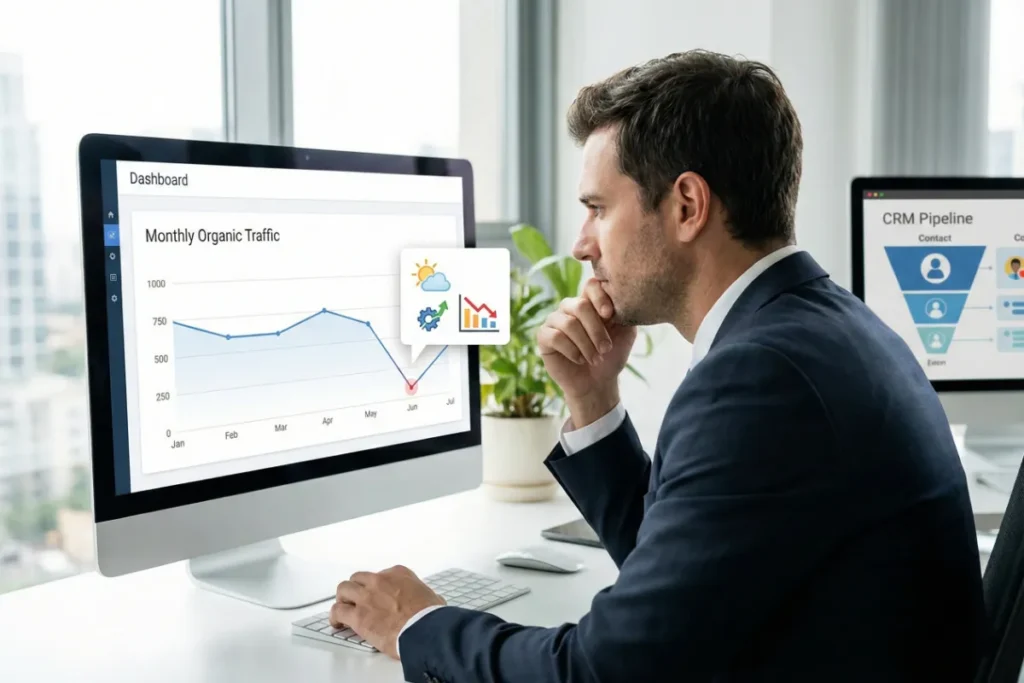
For instance, your agency will send updates showing what changed since last month while avoiding unnecessary statistical analysis that complicates simple trends. They’ll also share why it changed, and what it holds for next month. That means if your traffic dropped, they’ll explain if it was seasonal, an algorithm update that hit everyone, or something specific to your site.

Context like that is important for making new decisions. Once you know that your competitor also lost 20% traffic, you wouldn’t feel like going overboard with your judgments (which is all you required).

Pro tip: Layer CRM data over your SEO traffic to see which keywords bring high-value customers.

Why Do Ranking Reports Fail Businesses?

Ranking reports fail because they show keyword positions without providing the quantitative data that tells the actual story. Not only that, but they also don’t connect to authentic revenue or leads and focus on useless metrics.

Here’s a detailed list of why these reports damage your business:

  • Personalized Search Results: Google shows different rankings based on location and search history. That means your agency’s report might say position three, but customers in different cities see completely different results. Ranking tools can’t capture this personalization.
  • No Revenue Connection: You could rank number one for a dozen keywords and still make zero dollars if those keywords don’t bring in buyers. For example, a plumber ranking first for “history of plumbing” won’t get emergency repair calls.
  • Vanity Metrics Hide Problems: Large numbers can sound great, yet mean absolutely nothing. Like, you might see 50,000 impressions but get only 200 clicks. In the same manner, your domain authority might rise, but traffic and conversions remain down.

When the reports mislead you, you end up fixing problems you never had.

What Should You Track Instead of Rankings?

What Should You Track Instead of Rankings?

You should track organic traffic from qualified visitors, lead and conversion rates, and revenue that comes directly from SEO. In our experience, many data analysis methods used in ranking reports are misleading.

We’ll walk you through each of the metrics now.

Organic Traffic From Qualified Visitors

You should monitor monthly organic search traffic trends using Google Analytics data. But wait, don’t just count visitors. Here’s why.

A jump from 5,000 to 8,000 monthly visitors sounds great until you realize half of them are bouncing within five seconds. An automated SEO reporting tool usually misinterprets those numbers. Rather, you want people who stick around, click through multiple pages, and actually read your content (that’s what counts in the end).

Also, don’t forget to track if visitors match your target audience and customer profile. Plus, measure time on site and pages viewed per session to figure out if you’re attracting the right crowd or just random traffic that does nothing for your business.

Lead Generation and Conversion Rates

We recommend counting form submissions and demo requests from organic search visits, and you can track this without using data mining techniques. These people are raising their hands, saying they want to talk to you.

Take this example. If 10,000 people visit your site and only 20 fill out a contact form, that’s a 0.2% conversion rate. That’s why you should calculate how many organic visitors convert into qualified leads each month, then watch this number over time for a clearer picture. It’s a simple step that doesn’t require advanced data analysis techniques.

Pro tip: Track conversion rate improvements after implementing SEO strategy changes. This way, you’ll know what’s working.

Revenue Attribution From SEO

It’s important to connect your organic traffic to sales with the help of quantitative analysis. And tools like Google Analytics ecommerce tracking make that easy. For instance, if you see that a $5,000 SEO investment brought in $25,000 in sales, that’s an obvious win.

The idea behind tracking these numbers is clear: you can show that every dollar spent on SEO returns five dollars in revenue (suddenly, nobody questions your budget).

What Are the Biggest SEO Reporting Mistakes?

What Are the Biggest SEO Reporting Mistakes?

The biggest SEO reporting mistakes include overwhelming clients with too much data but zero insights and reporting activities instead of results. These errors destroy trust and make clients question whether SEO is even worth the money.

Avoid the following SEO reporting mistakes:

  • Drowning Clients in Data: When you send fifty-page reports filled with unnecessary statistical modeling (complex math-based analyses for interpreting data and making predictions), it doesn’t help anyone. What happens in reality is that your client opens the PDF, sees 30 graphs, and has no idea what any of it means or what to do next.
  • Reporting Efforts Instead of Outcomes: Listing completed tasks like “published 12 blog posts” means nothing if those articles brought in zero leads. Rather, make it a habit of showing how it impacted their business and not just how busy you were last month.
  • Missing Context and Benchmarks: Has your client’s traffic dropped? Be sure to check the competitor’s traffic as well. Clients panic when agencies don’t mention that competitors dropped even harder due to algorithm updates. So, always compare against industry trends and previous performance baselines.
  • Mixing Branded and Non-branded Keywords: If you put all keyword performance together, it hides the real picture, even if the data visualization looks clean at first glance. Like, you might rank first for your company name, but nowhere for terms that actually bring new customers.
  • Relying on One Data Source: The worst thing about single-tool reporting is that it feels precise while being completely wrong. For this reason, we suggest tracking trends over time instead of fixating on exact numbers from a single source.

So what’s the takeaway? Simpler reporting would save everyone’s sanity.

Your Next Steps With SEO Reporting

Now you know why you should stop accepting reports that brag about keyword positions while hiding the important metrics. You deserve to see organic traffic trends, conversion rates, and revenue attribution.

In other words, transparent SEO reporting is how you know your investment is working.

If you’re ready to work with an affordable SEO agency in Australia, contact us today. Let us help you with clear data that connects directly to your business goals.

From Page 50 to Top 10: Realistic SEO Growth Plans for 2026

Have your rankings refused to improve for months? Your content is strong and your site is fine, yet you still can’t reach the top 10.

A few simple tweaks can help Google notice you, and it’s okay if you’re unsure where to begin. At Octillion Corp, we’ve helped businesses climb from the bottom of search results to top positions, which earned them genuine traffic.

In this guide, we’ll walk you through realistic SEO timelines for 2026 and why you’re stuck between page 5 and 10. You’ll also learn how to build an effective SEO growth plan, plus quick wins that move you up fast.

Read on to learn which easy fixes can help you show up higher on Google.

What Is a Realistic SEO Growth Timeline for 2026?

ranking improvement

Most SEO campaigns take 4 to 12 months to show results. The smaller impacts start to appear around month 3, and bigger ranking jumps occur after month 6.

That timeline might feel long (we get it). But the thing is, Google needs time to crawl your site, index your changes, and decide if you deserve those top spots.

According to Ahrefs on their page “How Long Does It Take to Rank in Google? And How Old Are Top Ranking Pages?”, only 1.74% of newly published pages rank in the Top 10 within their first year. The other 98.26% either never reach the Top 10 or take much longer.

Let’s break down what happens at each stage of the timeline.

Early Improvements in Months 1 to 3

In the earlier months, Google Search Console shows which pages of your site need instant technical SEO fixes. To find those pages, just open the Coverage report, and you’ll see crawl errors, indexing problems, and pages that aren’t showing up in search results yet.

Another thing you must do during this period is target low keyword difficulty terms first. They’ll help you rank much more easily early. In your keyword research, try to look for keywords with 100 to 1,000 monthly searches and difficulty scores under 30, and publish content on them.

Besides, you have to fix broken links and slow page speed issues to stop losing your visitors’ trust. If someone lands on your page, clicks a dead link, and bounces, Google will notice it and drop you further down the search engine results page (SERP).

Steady Progress Between Months 4 and 6

You should start seeing some improvement in your ranking after the initial three months. For starters, your keyword rankings should climb because that’s when Google would begin recognizing your on-page optimization work.

However, you might not jump straight from position 49 to 15. Rather, it might be something like going from 49 to 24 and then reaching 15. That’s not page 1, but still, it’s some actual movement (this is the first sign you’re on track).

This is also the time you should start working on internal links. They direct search engines on how your pages connect and relate together. Kick off your process by linking your strong pages to weaker ones. Doing so will tell Google that those pages, too, are important, and it speeds up how fast Google understands your site.

Then there are meta descriptions and page titles. If you write them properly, they’ll attract more clicks from search results.

To understand how you should write your descriptions and titles, check the top 3 results for your keyword. You’ll notice that their titles promise something specific, use numbers, or create curiosity. You should do the same with yours.

Significant Growth From Months 7 to 12

Did you know that when trusted websites link to your content, it boosts your site’s authority? One link from a high-quality site (Domain Authority or DA 50 ) is worth more than 20 links from random blogs (quality wins every time).

Also, organic search traffic improves when you keep up with content creation and keyword optimization month after month. By month 9, you could see double the visitors. And by month 12, that number might double again if you remain consistent with your work.

Last but not least, you should also start ranking for competitive terms with higher search volume by now. This was the dream in month 1, right?

Pro tip: Rewrite outdated H2s and H3s using modern search phrasing. Updating headers alone can influence major jumps in Google search ranking.

Why Are You Stuck Between Page 5 and Page 10?

Why Are You Stuck Between Page 5 and Page 10?

Pages stuck between 5 and 10 usually have one or more problems, like content that misses search intent and keyword cannibalization. It may also be anything from weak backlinks, poor mobile experience, missing on-page optimization, or low click-through rates.

Here’s a detailed list of why these issues are holding you back:

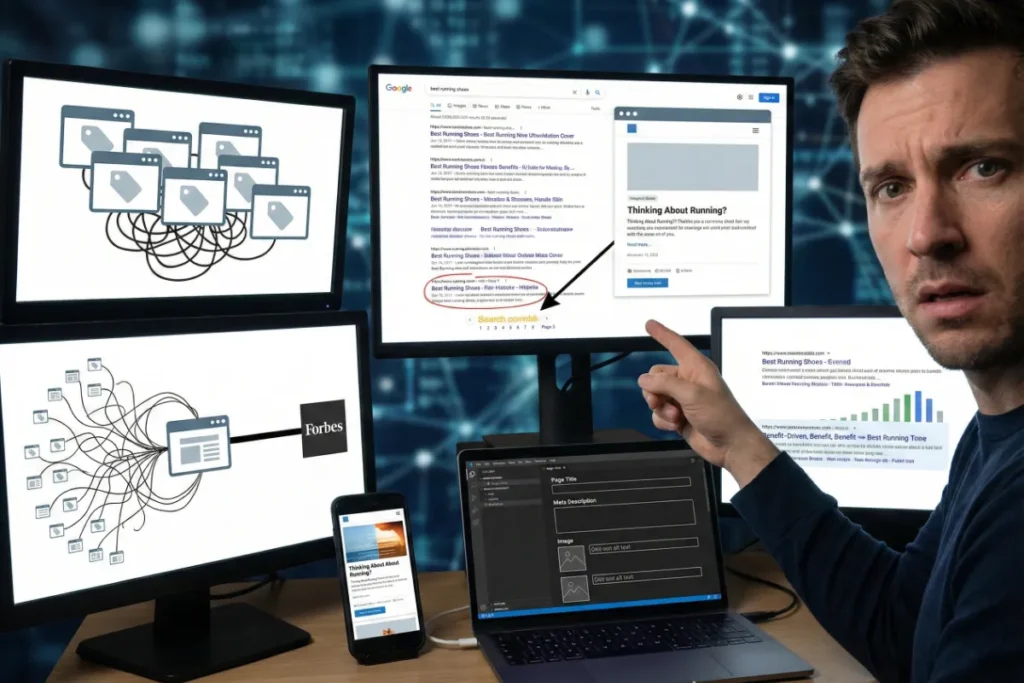
  • Search Intent Mismatch: Let’s say someone types “best running shoes” (commercial intent keyword), but your page just explains what running shoes are. Commercial intent keywords need product pages and not blog posts. Now you know why your rankings aren’t improving.
  • Keyword Cannibalization: Multiple pages fighting for one focus keyword confuses Google completely. For example, if you have three posts about “email marketing tips,” Google can’t decide which one deserves the top spot. As a solution, we recommend merging similar content into one page and redirecting old URLs.
  • Weak Backlinks: Guess what happens when your competitors have 50+ backlinks from sites with a Domain Authority above 40? They rank better than you because search engine ranking depends on backlinks as a direct ranking factor. That’s why a single link from Forbes beats 100 links from brand-new blogs with zero traffic.
  • Poor Mobile Experience: Many people don’t know that over 60% of organic search traffic comes from mobile devices. So, Google switched to mobile-first indexing, and the mobile version determines your rankings now. You need to improve your mobile site if you want to get out of page 5 jail.
  • Missing On-Page Elements: Your page title is just “Homepage,” there’s no meta description, and you have 20 images with no alt text. Your URL also looks like “yoursite.com/p?id=12345” instead of something like “yoursite.com/seo-growth-plan.” Google needs you to have these basics right to understand what your page is about.
  • Low Click-Through Rates: You’re in position 8 but only get 50 clicks a month. Your competitor in position 9 gets 200. Why? Their meta description says “Get 47% More Traffic in 90 Days,” while yours just says “Learn more about SEO.”

So if it feels like Google is ignoring you… It kind of is. But now you know why.

How Do You Build an SEO Growth Plan?

How Do You Build an SEO Growth Plan?

A working SEO growth plan starts with an audit in Google Search Console, finding your threshold pages, and analyzing competitors. It’s also important to map keywords by difficulty, create a content calendar, and set up tracking in Google Analytics.

Follow the 6 steps below as a comprehensive SEO growth strategy:

  1. Audit in Search Console: Open Google Search Console and check which pages get impressions but have terrible click-through rates. Look for crawl errors stopping search engines from indexing your content. Then find out which target keywords already send you some organic traffic.
  2. Find Threshold Pages: Pages ranking on page 2 are easiest to push into the top 10. They already have some authority and existing keyword rankings. Just committing small tweaks to titles, content, or some internal links can move them into money-making positions quickly.
  3. Analyze Competitors: You need to compare your content with pages that already rank well. That’s where tools like Ahrefs and SEMrush can help you see their keyword strategies fast. Your goal is to find topics your audience wants but no one explains well.
  4. Map Keywords: Google Keyword Planner is the best free tool to find out the monthly search volume for every target keyword. To get the best output from it, we recommend balancing high-volume terms with realistic difficulty scores for your domain size. Pick keywords where search intent actually matches what your page offers.
  5. Create Content Calendar: Plan content around keywords driving the most organic search results. Target different stages of your customer journey, from awareness to purchase. When you publish content constantly, it tells Google your site is active and relevant.
  6. Set Up Analytics: Don’t forget to monitor organic traffic trends and conversion rates every month in Google Analytics. Track which pages actually drive leads or sales. You also need to figure out if your search engine optimization tactics work long-term or need adjustments.

Once you do these things right, your rankings will start moving in the right direction.

What Quick Wins Move You From Page 5 to Page 1?

What Quick Wins Move You From Page 5 to Page 1?

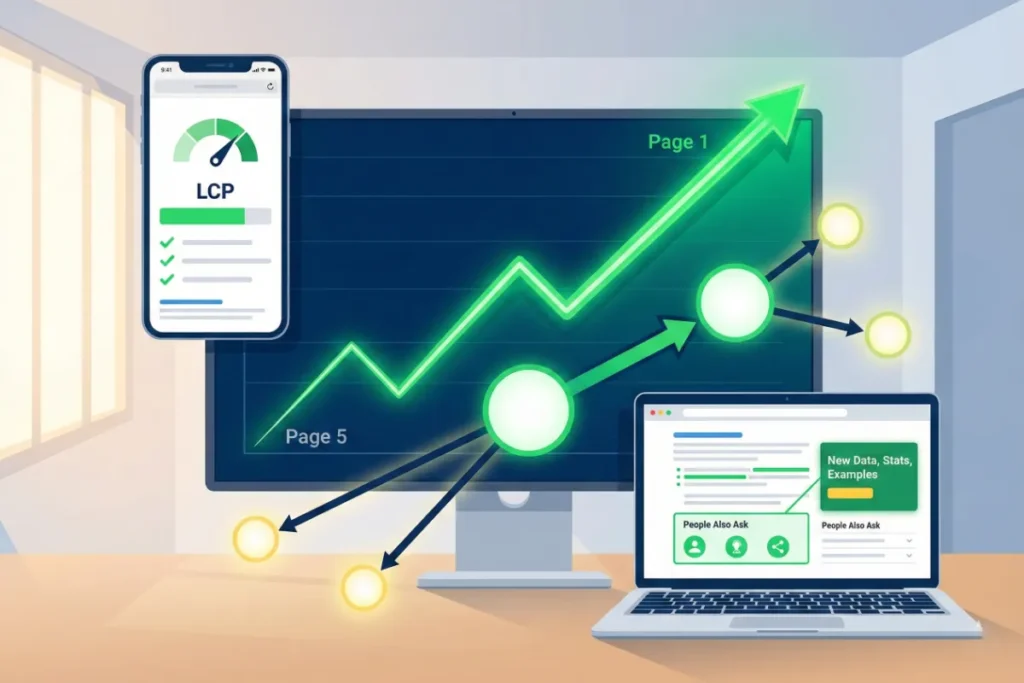
The fastest way to jump from page 5 to page 1 involves fixing your Core Web Vitals and site speed. Not just that, you should refresh existing content with new data, and add strategic internal links to underperforming pages, too.

Let us explain them in detail.

Fix Core Web Vitals and Site Speed

Slow page speed is a ranking factor that drops pages rapidly. If your site is sluggish, take some help from Core Web Vitals. It measures loading speed and stability on mobile devices for ranking.

Just remember that your Largest Contentful Paint (LCP) needs to be under 2.5 seconds, and Cumulative Layout Shift (CLS) should stay below 0.1. That’s it.

But that’s not all. You can further speed up your website through some technical SEO practices, like image optimization, removing unused JavaScript, and enabling browser caching. These tweaks can cut your load time in half and improve both your rankings and user experience.

Pro tip: Serve fonts locally instead of pulling them from external CDNs. Font render delays are one of the biggest hidden LCP issues.

Refresh Existing Content With New Data

It’s important to update your old pages with new stats to keep the content relevant today. For instance, if a post from 2022 still has outdated numbers, replace them with 2026 data and fresh examples. Google will recrawl the page much faster.

And once the basics are updated, add a few new sections that answer related search queries your target audience is asking right now. Checking the “People Also Ask” box for your keyword is an easy way to find 3-5 questions worth adding (Google loves it when you do this).

Believe it or not, refreshing content like this often works better than creating brand-new pages, especially when you already have some keyword rankings. This way, a page sitting at position 35 can climb to page 1 in a matter of weeks instead of months.

Add Strategic Internal Links to Underperforming Pages

Curious how to give your weak pages a quick boost in visibility? A simple way is to use internal links from your strongest web pages to lift the ones that are struggling. Start by opening Search Console to see which pages perform best.

After you find them, add 2-3 internal links pointing to the pages stuck on 5. It’ll guide both users and Google toward the content that needs attention.

When you add those links, ensure the anchor text includes relevant keywords so search engines understand how the pages relate to each other. Here’s an example: instead of vague text like “click here,” use something clearer, like “learn how to fix Core Web Vitals.”

As a bonus, internal links also spread your site’s authority and make it easier for visitors to find more of your content. These longer visits and more page views send positive signals to Google, which helps your rankings even better.

Time to Put Your SEO Growth Plan Into Action

Honestly, SEO growth takes time, but the good news is that you’re not starting from scratch. Pages already ranking between positions 11 and 50 have some authority built in, which means they’re much easier to move up.

All you need to do is clean up technical issues, refresh outdated content, and add a few strategic internal links to guide Google in the right direction.

If you want support in creating an effective SEO strategy to get your pages where they should be, reach out to us today. We’re here to help you climb the rankings.

How Octillion Keeps SEO Affordable Without Cutting Corners

You’ve probably seen ads like “Affordable SEO services, guaranteed page one rankings, only $99 per month!”

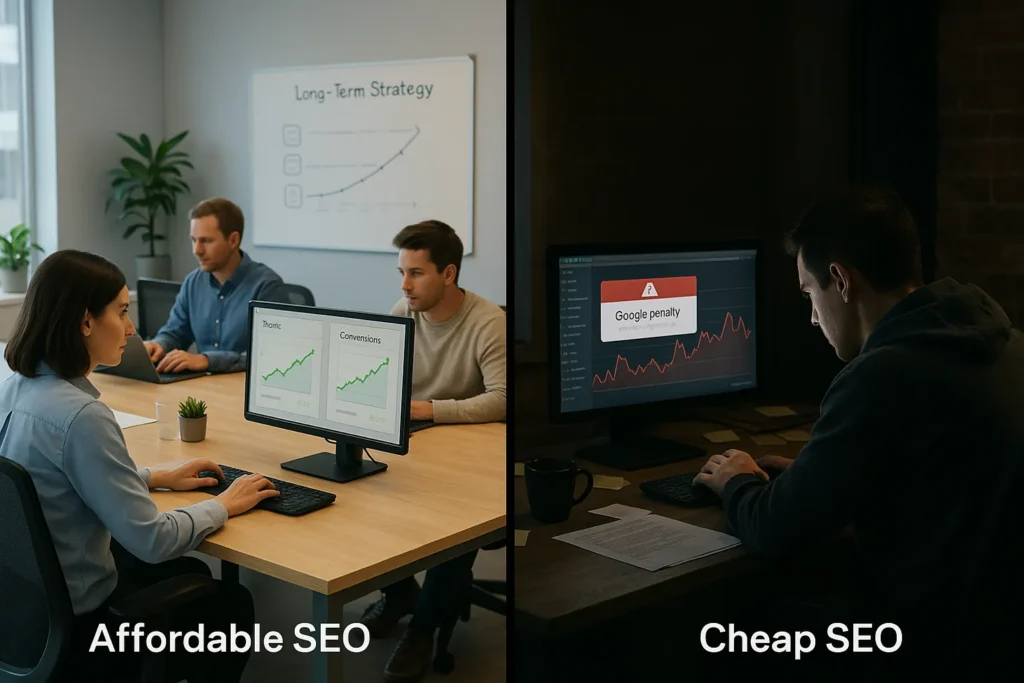
That sounds tempting, but you must ask if that’s really affordable or cheap SEO. Why? Because affordable SEO ensures quality work at fair prices, whereas cheap SEO cuts corners that destroy your online visibility.

We are Octillion Corp, and we do affordable SEO by using simplified workflows and transparent pricing. Our experienced teams focus on high-impact strategies instead of trying to find ways to skip parts of the optimization process.

In this guide, we’ll cover what separates affordable SEO from cheap ones and the warning signs of SEO scams. We’ll also discuss what quality packages include, plus how to choose the right agency.

Ready? Let’s begin.

What’s the Difference Between Affordable SEO and Cheap SEO?

What's the Difference Between Affordable SEO and Cheap SEO?

The difference between affordable SEO and cheap SEO is that the first one uses ethical, long-term strategies to deliver sustainable results. Meanwhile, the second one relies on quick fixes like cloaking and excessive link exchanges, which harm your rankings and online reputation.

It’s time to get into more detail about the differences.

Long-Term ROI vs Quick Fixes

Most business owners searching for SEO services want more customers walking through the door (or clicking that checkout button). Affordable SEO targets exactly that: genuine sales and leads. The goal is to build something stable that keeps producing outcomes.

But cheap services take the opposite approach. They prioritize fast results that will look impressive in month one. Sadly, all the shortcut work and results completely vanish after Google rolls out its next algorithm update.

And Google updates its algorithm thousands of times every year (at least that’s what it feels like).

To sum it up, quality work drives website traffic that consistently converts visitors into customers.

White-Hat Methods vs Black-Hat Tactics

One of the best things about working with affordable agencies is that they do white-hat SEO. This kind of optimization work strictly follows Google’s guidelines to protect your site and rankings. The companies use decent strategies to build long-term growth without taking unnecessary risks.

However, cheap SEO providers depend on black-hat tactics like keyword stuffing, hidden text, or buying spam links from sketchy websites. These methods may improve your ranking quickly for a few days, but they come with permanent and drastic consequences.

We saw a cafe owner paying for “SEO services” using these tactics. Guess what? Google penalized his site, and it totally disappeared from search results for fourteen months.

Pro Tip: Always ask for case studies and examples of past work. A reputable SEO agency should be able to show you previous results with businesses similar to yours.

What Are the Warning Signs of SEO Scams in Australia?

What Are the Warning Signs of SEO Scams in Australia?

According to SEOptimer’s guide on “Guaranteed SEO Services”, SEO scams promise guaranteed rankings in weeks. They also charge suspiciously low prices and refuse to provide clear reports on what they’re doing.

Here are the most common warning signs of scams:

  • Guaranteed Rankings in Weeks: Nobody legit can promise you page one in unrealistic timeframes. Well, only scammers can because they target worthless keywords with zero traffic, then show you fake success. But authentic agencies give you honest timelines based on competition.
  • Suspiciously Low Pricing: If monthly plans are under $500, something’s definitely getting sacrificed. At the very least, you’re only receiving some low-quality one-size-fits-all solutions with zero custom strategy. That guarantees multiple penalties from Google.
  • No Website Access Requests: A genuine SEO needs to log into your website to fix errors and optimize your pages. That said, scammers avoid asking for this access because they’re not actually doing any work on your site.
  • Unsolicited Spam Emails: Ever got those “I noticed problems on your website” messages? Those are from bots; the sender never looked at your site. These emails make you panic and influence you to make rushed decisions before you check their background.

Remember, quality SEO takes time. And never let a bargain price be the reason behind Google penalizing your site.

What Does Affordable SEO Actually Include?

What Does Affordable SEO Actually Include?

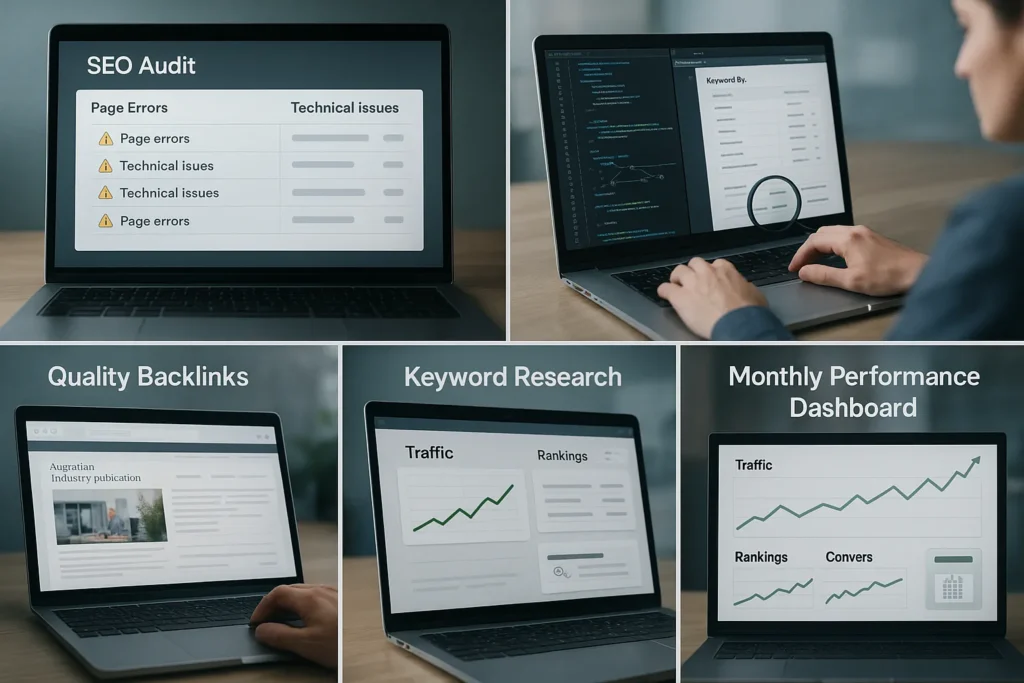
Now that you understand the difference between affordable and cheap SEO, let’s see what quality SEO packages include. You usually get free audits, technical fixes, keyword research, backlink building, and monthly reporting with these plans.

Below is a detailed explanation of what you get:

  • Free SEO Audit Upfront: Quality providers identify problems before you have to pay a cent. Particularly, you get a clear picture of page errors, technical issues, and ranking gaps. They provide you with a basic breakdown of what needs fixing and what it’ll cost.
  • Technical Fixes: An experienced team always examines and fixes speed issues as well as broken code. Sometimes it may be a simple redirect error, and other times, it’s a messy architecture confusing Google. Either way, these fixes ensure search engines can actually read your site.
  • Keyword Research: What are your customers typing when they need your services? That’s what agencies figure out first. The SEO expert teams do a competitor analysis to find which keywords are already working in your industry.
  • Quality Backlinks: Professional link building from relevant Australian sites boosts your authority with Google. For example, one quality link from an industry publication beats 100 random directory links. But low-quality SEO services spam worthless links that ruin your visibility instead.
  • Monthly Reports: You get online portal access showing real numbers: traffic, rankings, conversions. That kind of monthly reporting proves what’s working right now. Not only that, but the dashboard keeps you in control so you can adjust strategy when you need to.

If you’re serious about your site’s success, quality SEO is the way to go.

What’s Octillion’s Approach to Affordable SEO Services?

custom strategy

Octillion makes SEO affordable with clear pricing and smooth processes handled by experienced teams. We set realistic timelines based on how competitive your industry is.

Let’s break down our approach.

No Hidden Fees or Surprise Charges

Transparent pricing shows exactly what you pay in each SEO package from day one. That means you’re free from getting a surprise bill for “urgent technical work” or “emergency optimization” in three months that should’ve been part of the original deal.

Then there’s monthly plan pricing. It stays locked in so you can actually budget for it. Like, if you’re paying $1,500 this month, that’s what you’re paying next month too.

Now, we can assure one thing: you won’t wake up to random price jumps just because “competition increased” or “Google changed its algorithm.”

Efficient Team and Streamlined Workflow

Our team focuses on high-impact work that truly improves your rankings. Specifically, we avoid pointless tasks that might look good in reports but don’t help your business grow.

For instance, some agencies might boast about “10,000 new impressions”, while you get zero conversions. But we focus on what’s important: calls, form fills, and customers walking through your door (seriously, what’s the point of traffic if it’s not bringing you sales?).

Honest Timelines Based on Competition

Let’s talk about realistic expectations for a second. Most businesses see ranking improvements within three to six months. Honestly, that’s not a guarantee, but it’s what typically happens when the strategy is strong and the team is consistent with the work.

Still, keep in mind that your timeline depends on two main things: current site health and keyword difficulty level. For a brand-new site with no backlinks, expect a six-month timeline before seeing results. But everything happens faster with an established site that just needs optimization.

Take Action on Your SEO Goals

Businesses ranking on page one earned their spot through strategic SEO. They partnered with agencies that use ethical methods, provide clear-cut reporting, and set realistic timelines based on actual competition data.

Now it’s your time to do the same. Since your competitors are already investing in SEO, every day you wait is another day they’re capturing your possible customers.

Let us help you with your search engine optimization. Contact us today for a free audit and affordable SEO packages.

How to Use Google Ads to Generate Local Leads for Small Businesses

Are you a local business looking to generate more leads with Google Ads? You’re in luck. Our local Google Ad experts are going to share their top tips and insider strategies for dominating search results in your local area. Local ads can easily 2-3x your business, but only if you do it right. Do it wrong, and you risk wasting thousands of dollars on ads that don’t convert or reach the wrong audience. No worries, we’re going to show you exactly what to do. In this article, we will walk through how to set up location targeting, ads, budgets, and tracking. Then, we’ll prepare your campaigns for local foot traffic or calls, just like turning on a visibility switch. So, fasten your seat belts. You’re about to learn everything you need to know about Google Ads.

The Fundamentals of Google Ads

Before we dive into today’s topic, we first need to understand the mechanisms that measure success. Tracking your progress is the ONLY way for you to know which clicks are bringing in the calls, form submissions, or store visits. Without it, you will be guessing, and guesses cost money. The first step is to define your goals. What is it that you want? More phone calls? More appointment bookings? Or more foot traffic? Even when making life changing decisions, it is important to define your goals. These goals will guide your every choice in your campaigns. Once that is cleared up, set up conversion tracking in GA4, so every valuable action is recorded. Similar to our social media accounts, syncing your Google Ads account with GA4 and your Google Business Profile can make things simpler. With all your accounts connected, your ads will display location, details, hours, and reviews. In our experience, this makes your Ads more trustworthy in the reader’s eyes and improves your conversions. Plus, the shared data helps you refine targeting and improve return on spend. With this foundation in place, we can now move on to choosing the right campaign types for your business.

Choosing the Best Google Ads Campaign Types for Local Wins

There are 5 types of Google Ads campaigns: Search Campaigns, Performance Max Campaigns, Display Campaigns, Video Campaigns, and Local Services Ads. Let’s take a look at them in detail.
  • Search Campaigns: A type of Google Ad campaign that targets people already looking for your product or service. The Text Ads show up on Google Search results and are highly effective for direct lead generation.
  • Performance Max Campaigns: With the help of Google’s automation, Ads pop up across search, display, YouTube, Gmail, and Maps. This approach works well when you want to cover multiple channels without running separate campaigns.
  • Display Campaigns: Image-based Ads that appear on websites and Apps within Google’s Display Network. If you want to build awareness, display campaigns should get the job done.
  • Video Campaigns: Unlike the other Ads, this one appears on YouTube and it explains your offer or builds familiarity to the audience before they even search for you.
  • Local Services Ads: The most common Google Ads of them all. It places you at the top of Google for service-based searches and charges per lead, not per click.
Before you choose the right Google Ad campaign for your business, we suggest you first understand your needs clearly. We recommend you get help from a service provider with experience in your niche. With help, planning and choosing the right campaign becomes easier. Next, we’ll focus on location targeting strategies that bring in nearby customers.

Location Targeting Secrets That Keep Your Ads Local

After choosing the campaign type that fits your goals, the next move is fine-tuning location settings to match. This step connects your ad strategy to the people who can actually buy from you, helping you spend where it matters most. Our number one tip is to target people within a practical service area. This makes your budget work harder by reaching those who are most likely to become customers.

Presence Targeting vs. Interest Targeting

Presence targeting shows ads only to people physically within your chosen area. Many local service providers choose this method because it reduces wasted clicks from users too far away to convert (I personally preferred this one too when I had just started my business). On the other hand, interest targeting reaches people outside your area who have searched for or shown interest in a particular thing. This option works well for tourism, events, or destination-based services.

Setting an Effective Service Radius

Targeting an entire city can drain your budget quickly. Instead, draw a digital circle around your address to focus on the areas most likely to bring customers. Your ideal radius depends on what type of business you are. For cafés, gyms, and salons, a smaller radius of 1–5 miles often delivers better results, while tradespeople or delivery services may benefit from covering a wider area. Another good example would be restaurants. They’d want to target something like 10-15 miles out, since people will often drive longer distances for popular food spots. It is vital you review your performance data regularly and adjust the radius accordingly. It will ensure that your spend isn’t going to waste.

Exclude To Protect Your Budget

Another exclusive tip for you is location exclusions. Sounds complex but it’s really not. Location exclusions help cut out areas that rarely convert, ensuring your money is spent where it has the most impact. For instance, it could mean removing:
  • High-traffic zones such as airports
  • Postcodes with low conversion rates
  • Suburbs that are too far for customers to travel from
Here is a suggestion, review and update your exclusions each month, it will keep your targeting accurate. Once your targeting is set, the next step is choosing local keywords that match what people search for when they need your services

Local-Intent Keywords That Convert Clicks Into Customers

With your targeting in place, it’s time to choose keywords that connect your ads with people ready to act. Local-intent keywords focus your budget on searchers who want your service, not just general information.
Here is what I mean. Lazy people like myself usually end up searching for terms like “plumber near me” or “bakery in Brooklyn”. So, think about using similar keywording phrases that show clear intent and location. Businesses often call this the golden method of attracting high-quality leads (within their vicinity). BUT you cannot forget to use negative keywords. It is the only way for you to block irrelevant searches. Doing this will save your budget for clicks for real customers. I hope we are clear on how and why keyword phrasing is important. Moving on…

Writing Click-Worthy Ads That Feel Local

Local ads work best when they speak to the community. Here is what you can do! Mention landmarks, neighborhoods, or events in your Ad copy. After all, familiarity builds trust with potential customers (I would definitely check out a new cafe opening close to my favorite bookstore). If I haven’t emphasized it enough, then here it is again, strong headlines hold good weight. You can start by combining your service, location, and mention a clear benefit to make your ads stand out. Here is an example I saw the other day, “Fresh Bread Daily in Austin.” Believe me when I say I had to check out that bread. Just like that when you have convincing headlines, people are bound to click. You can make your ads even more effective with ad extensions:
  • Location extensions show your business address.
  • Call extensions let people reach you instantly.
  • Sitelinks guide visitors to specific pages on your site.
Using the right mix of extensions adds action to your ads and can improve click-through rates. Next, we’ll look at how to choose Ad assets that drive even more engagement.

Boost Performance With Ad Assets That Drive Action

Your Ad copy is ready to go. The next step is adding extras that people can see before they even click. These ad assets make your ads stand out even more in search results. There are some commonly used Ad assets that we think you should know about:
  • Lead form assets: It allows people to send you their details directly from the search results.
  • Image assets: Popularly known for adding visual appeal and explaining your offer quickly.
  • Review assets: This one highlights positive feedback to build trust.
  • Price assets: Your rates are displayed so customers can compare at a glance.
When you combine these with locationcall, and sitelink extensions, your ads can get more clicks and leads without costing more. They also make it easier for people to take the next step. Now let’s make your landing page match your ads and turn visitors into customers.

Make Your Landing Page a Local Lead Magnet

Getting a click is only half the job. The page your Ad sends people to must turn their interest into action. If your landing page does not deliver on what the Ad promised, you risk losing the lead. So, start by making your contacts impossible to miss. You can use a clear phone button, enquiry form, or “Book Now” link and ensure that it is visible without scrolling. Also, add a map and your address so people know you serve their area. Speed matters, too. A page that loads in under three seconds keeps visitors from leaving before they see your offer. That’s why we suggest keeping the design clean, mobile-friendly, and focused on one main call-to-action. With your landing page ready to convert, we can now focus on tracking performance so you know exactly which clicks are worth your spend.

The Importance of Tracking Results

We have covered running Ads. But real growth comes from knowing what happens after someone clicks and using that insight to improve results. Connecting Google Ads with Google Analytics gives you a clear view of visitor behavior. You can see the pages they view, how long they stay, and where they leave. This helps you spot what’s attracting leads and what’s driving them away.
Once you understand that behavior, check your key metrics in Google Ads:
  • Click-through rate (CTR): Shows if your ad is grabbing attention.
  • Conversion rate: Measures how many visitors take action.
  • Cost per conversion: Tracks how efficiently you’re spending.
Reviewing this data regularly makes it easier to decide when to adjust keywords, update ad copy, or move budget. Small changes can often improve results without increasing spend. Is it all too much? How about hiring an expert team to handle every detail? It is the best way to get it all done without guesswork.

Let Evoasis Build Your Local Lead Machine

Running effective Google Ads for local businesses is not a piece of cake. It is time, testing, and constant fine-tuning. No worries! Evoasis can handle it all for you. From targeting the right customers to writing ads that feel personal and local to your audience. Our team creates affordable, custom strategies built to bring in real leads, not just clicks. So, do you want more local customers without the trial-and-error phase? Then, reach out to Evoasis today. Get your local presence blooming with confidence!

Mobile-First Indexing: What It Means for Your SEO Success

You’ve probably noticed something strange happening with your search rankings lately. Your mobile traffic might be declining even though your desktop site looks perfect. The reason is simple: Google changed the rules.

Search engines now prioritize your mobile site performance over everything else. When someone searches on mobile devices, Google uses your mobile version to decide if you deserve the top spot. But believe it or not, this applies to desktop searches too.

Your mobile SEO strategy now affects your entire online presence. This blog will explain what mobile-first indexing means and how you can implement it to get your search visibility back to its peak.

What Mobile First Indexing Actually Does

Mobile-first indexing sounds complicated, but it’s actually Google’s way of catching up with how people really use the internet. Instead of looking at your desktop site first, Google’s crawler now examines your mobile version when deciding where you should rank.

What Mobile First Indexing Actually Does

Over 60% of Google searches happen on mobile devices, so this shift makes perfect sense. You probably also reach for your phone more often than you open a laptop. Google noticed this trend and adjusted accordingly.

It’s the same for your business website’s mobile version; if it loads quickly and provides a great experience, you’ll have a big advantage over competitors who neglected their mobile presence.

Mobile-friendly sites now get priority treatment in mobile search results, and this boost often carries over to desktop rankings, too.

How Google Judges Your Mobile Site

Now that you know what mobile-first indexing means, let’s look at how search engines actually evaluate your mobile page quality.

How Google Judges Your Mobile Site

Here’s how it works: Google’s process works by sending automated crawlers to examine your mobile site content. These crawlers check everything from loading speed to how easy your site is to navigate on a phone. If your mobile and desktop versions show different content, Google prioritizes what it finds on mobile.

How Google Crawls Mobile Sites

Googlebot mobile visits your mobile site first and indexes that content. It compares this with your desktop site to check for consistency issues.

Hence, your desktop site becomes the backup option rather than the primary focus.

What Google Looks For

Mobile usability comes first, which includes buttons that work, text that’s readable, and pages that load fast. Structured data helps Google understand your content better.

Common Mistakes to Avoid

Having different content between mobile and desktop versions creates confusion and can tank your rankings quickly. Make sure both content and functionality align between versions.

Mobile SEO Strategies That Work

This is where theory meets practice, as these mobile SEO strategies will quickly boost your mobile optimization results without wasting time on outdated tactics.

Most businesses overcomplicate mobile optimization, but the approaches that actually move the needle are surprisingly simple.

  • Speed Up Your Mobile Version: Mobile users expect pages to load in under three seconds. Compress images, minimize code, and eliminate anything that slows down your mobile site.
  • Design the UI for Thumbs: Your buttons need to work perfectly on mobile devices. Space them out properly and make them large enough for actual fingers.
  • Keep Content Consistent: Your mobile version should contain the same important information as your desktop site. Missing content confuses search engines.
  • Use Clean Structured Data: Proper structured data markup helps Google understand your content and can earn you rich snippets in mobile search results.
  • Test on Real Devices: Don’t just rely on browser tools. Check your mobile site on actual phones and tablets that your customers use.

Free Tools to Test Mobile Performance

Here’s how you find out if your mobile page performs as well as your desktop versions. And you don’t need to spend money on expensive software to get reliable data.

ToolWhat It DoesBest Feature
Google PageSpeed InsightsCompare desktop and mobile speedsCore web vitals scoring
Mobile-Friendly TestCheck mobile usability issuesShows exactly what’s broken
Search ConsoleTrack mobile SEO performanceReal mobile search results data

PageSpeed Insights shows you exactly how search engines see your mobile site compared to your desktop site. The core web vitals scores tell you if your site meets Google’s speed standards. Mobile-Friendly Test reveals whether Google considers your mobile website optimized for mobile users.

You’ll also get the real story about your mobile traffic performance from Search Console. It shows which pages are causing problems and how your mobile rankings compare to desktop.

We recommend checking these tools monthly to catch issues before they hurt your search visibility. Ready to put this into action?

Your Mobile Optimization Checklist

mobile optimization checklist

We’ve tested everything on mobile to ensure this checklist covers everything you need to fix the most common mobile problems.

Technical Essentials

  • Write meta descriptions under 120 characters for mobile snippet display
  • Optimize images by compressing them without losing quality
  • Make sure your mobile URL structure matches your desktop version exactly
  • Update meta tags to work properly on small screens
  • Check core web vitals scores monthly and fix any red flags

User Experience Fixes

  • Test your site navigation on actual mobile devices
  • Add local seo elements like your address and phone number for mobile searches
  • Run a site audit every quarter using the free tools we mentioned earlier

It works like this: tackle the technical items first since they affect how search engines see your site. Then focus on the user experience elements that keep mobile users engaged once they find you.

Your Mobile SEO Success Starts Now!

Mobile-first indexing reflects how your customers actually find and interact with businesses online today. Today’s top-ranked businesses recognized this shift early and took action. So, don’t let your competitors get ahead while you’re still figuring out mobile.

Start with the checklist we provided, test your mobile version on real devices, monitor your results monthly, and watch your rankings soar!

And if you’re ready to improve your mobile SEO strategy, visit octillioncorp.com to learn how we help businesses optimize their mobile presence and grow their search traffic.

How to Spot a Good vs. Bad SEO Agency

Like most business owners, we understand that you’re struggling to find customers online while competitors dominate search results. After all, poor search engine rankings mean potential customers can’t discover your website when they need your services. That’s exactly why you need to hire an SEO expert.

This guide shows you exactly how to identify trustworthy SEO agencies that deliver real results for your business. Stick with us as we discuss:

  • Warning signs of bad SEO agencies
  • How quality agencies deliver proven results
  • Important questions to ask before hiring
  • What real SEO campaigns look like
  • Making the right choice for your marketing future

In reality, choosing the right SEO partner becomes much easier when you know what to look for. Let’s start by exploring the red flags that should make you think twice about any agency.

Major Red Flags in SEO Agencies

Red flags wave everywhere when you’re dealing with sketchy SEO agencies. Unfortunately, these companies specifically target business owners who need more website traffic but lack the technical knowledge to spot obvious scams.

You must learn to identify these warning signs to protect your marketing budget from complete disaster. Here are the four biggest danger signals you should never ignore:

Unrealistic Promises

Run away from any SEO agency that guarantees specific rankings or promises first-page results in 30 days. If we’re being real, search engine algorithms change constantly, so making such guarantees is completely baseless.

Instead, quality agencies discuss realistic timelines and focus on sustainable organic traffic growth.

Hidden Tactics

Trustworthy SEO services explain their strategy in plain English every single time. However, when agencies refuse to share their methods or talk about “secret techniques,” run the other way.

It all comes down to this: these companies often use risky tactics that violate Google’s guidelines and could destroy your rankings forever. On the flip side, quality agencies will walk you through their approach, show you exactly what work they’ll do, and explain how each step helps your website rank better.

Cookie-Cutter Solutions

Your restaurant needs different SEO campaigns than a law firm or plumbing company does. For example, a restaurant should focus on local food searches and review management, while a lawyer needs content about legal services.

Unfortunately, agencies pushing identical packages clearly don’t understand how to optimize different industries for their target customers and local markets.

Poor Communication

Professional agencies send clear monthly reports that explain results in simple terms, and return calls within 24 hours. On the flip side, companies that dodge your questions or send confusing analysis data are hiding poor performance from their clients.

Now that you know what to avoid, let’s examine what excellent SEO agencies do differently.

How Quality SEO Agencies Deliver Proven Results

Team analyzing SEO data

Professional SEO agencies work completely differently, as you can tell from the warning signs we just covered. These companies build their entire business model around transparency, honest communication, and delivering measurable results for their clients.

You will notice a stark contrast once you experience working with an actual quality team.

For example, reputable agencies begin every project with comprehensive keyword research. This keyword research discovers exactly how your customers search for your services online.

After understanding your audience, these agencies analyze your competitors’ digital marketing strategies and identify valuable content marketing opportunities. From there, the same agencies develop a customized SEO strategy tailored to your specific industry needs.

Meanwhile, technical SEO work focuses on optimizing your website’s performance and fixing structural problems like slow loading speeds, broken links, and poor mobile responsiveness. Once these issues are resolved, Google can properly crawl and index your pages.

What separates quality agencies from amateurs is commitment to detailed reporting and clear communication.

For instance, monthly analysis reports show your organic traffic growth and revenue impact. Beyond just numbers, these reports explain which SEO campaigns deliver results and demonstrate how marketing efforts connect directly to your business success.

Rather than making empty promises, professional agencies focus on building long-term success through proven methods.

Important Questions Every Business Owner Should Ask

Business owner asking questions during office meeting

Before you hire an SEO expert, you need to ask the right questions to protect your investment.

Unfortunately, too many business owners choose agencies based on low prices or flashy promises, only to discover months later that their website traffic hasn’t improved.

You can combat this by preparing specific questions that reveal whether an agency truly understands your business needs.

Come and check out our list of questions:

  1. What SEO services do you offer, and how do you tailor your strategy for my specific industry?
  2. Can you provide case studies showing proven results for companies similar to mine?
  3. How do you approach local SEO, and do you understand the Australian market?
  4. What does your keyword research process involve, and how do you find profitable opportunities?
  5. How frequently will you send analysis reports, and which metrics are most important for my business?
  6. Do you focus on link building, and what methods do you use to build quality backlinks?
  7. How do you adapt your digital marketing strategy when Google releases algorithm updates?

After you’ve asked the right questions, you’ll need to understand what realistic success looks like.

Measuring Success: What Real SEO Campaigns Look Like

Team reviewing SEO campaign results on laptop

Fantasy and reality look completely different when it comes to SEO results. Rom our experience, most business owners don’t realize is that expecting overnight miracles sets them up for disappointment.

Instead, successful SEO campaigns follow predictable patterns that develop over months. And honestly, understanding realistic expectations helps you recognize genuine progress and avoid disappointment with your investment.

Focus on these indicators of genuine progress:

  • Organic Traffic Growth: Industry research involving 75 SEO experts shows that most websites begin seeing traffic improvements within 3-6 months from quality SEO services. As a result, your website attracts more potential customers searching for your services, though dramatic overnight spikes are still an unrealistic expectation.
  • First Page Rankings: Competitive keywords typically require 4-8 months to reach Google’s first page consistently. Unlike agencies promising instant results, professional SEO experts focus on sustainable ranking improvements that last.
  • Link Building Results: Monthly gains of 2-5 high-quality backlinks come from strategic content marketing and outreach efforts. Over time, powerful backlinks significantly boost your site’s authority and drive valuable organic search traffic.
  • Conversion Rate Improvements: Revenue increases matter more than traffic volume alone. Most importantly, effective SEO campaigns attract qualified visitors who actually convert into paying customers for your business.

Remember, patience pays off when you work with the right SEO partner who delivers consistent progress.

Your Next Step Toward Digital Marketing Success

You now know how to make a confident choice about hiring the right SEO expert for your business. The difference between good and bad agencies becomes crystal clear when you apply the warning signs and evaluation questions from the guide.

Savvy business owners in Australia take time to interview multiple agencies and ask the tough questions. We suggest you don’t rush this process. Always demand case studies that demonstrate proven results for businesses like yours.

After all, your marketing investment deserves protection, and your website’s future depends on choosing professionals who understand your industry.

At Octillion Corp, we believe every business deserves transparent SEO services that deliver measurable growth. Our team focuses on building long-term partnerships with companies that value honest communication and sustainable results.

Ready to discuss your digital marketing strategy? Contact our SEO experts today to discover how we can help your business reach the first page of search results.

Local SEO Secrets: How to Dominate Search Results in Your Area

Have you ever wondered why your business keeps showing up just below the Google Maps 3-pack, while your less-qualified competitor gets all the clicks? Every time that happens, potential customers are choosing someone else, and that missed visibility turns into missed revenue for you.

Local SEO is how you fix that. When people nearby search for services you offer, your ranking depends on a few practical things like how well your Google Business Profile is set up, the quality of your local backlinks, and how you use location-based keywords across your site.

In this guide, we’ll break each of those down. You’ll get clear local SEO tips that can help you rank locally and show up right where your customers are looking.

Ready to take back control of your local visibility? You’re going to like what’s ahead. Let’s get started.

Optimizing Google Business Profile for Local Visibility

Your Google Business Profile (GBP) acts as your storefront in local search. When someone in the vicinity looks for a service you offer, this listing can either bring you business or send it elsewhere. Setting it up correctly helps you rank locally and show up when it counts.

Optimizing Google Business Profile for Local Visibility

Let’s take a look at what matters most.

Keep NAP and Business Hours Accurate

Your contact information should match everywhere your business appears online. Even small inconsistencies can confuse Google or your customers. Here’s how to stay consistent and visible.

  • Name, Address, Phone (NAP): Use the same business name, address, and phone number across your site, GBP, and directories. For example, if your website says “Texas Roof & Gutter Co,” avoid using a shortened version like “Texas Roofing” elsewhere.
  • Business Hours: Keep your open hours accurate at all times. For instance, if you’re open late on Fridays, make sure your GBP reflects that so customers don’t skip you.
  • Special Hours: Use this option for holidays, early closures, or one-off changes. For example, update hours ahead of public holidays or long weekends to avoid confusion.

Choose the Best Categories for Your Business

The categories you select help Google match your profile with relevant search queries. Choosing the right ones makes it easier for customers to find you. Focus on making confident choices.

  • Primary Category: Choose the one that reflects your main service. For example, a dentist should use “Dentist” and not a broad category like “Healthcare Provider.”
  • Secondary Categories: Add only what’s directly related to your services. For instance, a bakery that also offers catering could add “Catering Food and Drink Supplier.”

  • Relevance: Skip categories that don’t reflect your actual work. A café shouldn’t include “Event Venue” unless bookings for events are a regular part of the service.

Add Services, Products, and Geo-Tagged Photos

This section helps people quickly understand what your business offers. The clearer you present your services and products, the easier it is to attract clicks and calls. Photos also help people trust what they’re seeing. Here’s what to include.

  • Services: Add your main services with short, practical descriptions. For example, a plumber might list “Drain cleaning. Same-day service available from $120.”
  • Products: Include featured items by name with clean, relevant images. For instance, a bike shop might list “Trek FX 3 Disc” with an image and short spec.
  • Geo-Tagged Photos: Add real images taken at your business or local job sites. A landscaper, for example, could post before-and-after photos from Texas suburbs they’ve worked in.

Use Posts, Q&A, and Descriptions to Engage

Active profiles often appear more relevant in search. When you keep your listing updated and answer common questions, customers get a better feel for your business. Let’s see how to keep things fresh.

  • Posts: Share updates, promos, or time-sensitive info. For example, “10 percent off end-of-lease cleans this week. Book online today.”
  • Q&A Section: Add answers to common questions in advance. For instance, a tradesperson might include, “Do you offer same-day service?” with the answer, “Yes, if booked before 11 AM.”
  • Business Description: Use this section to highlight your experience and service area. For example, “Locally owned pest control team serving Philadelphia since 2008.”

Use GBP Analytics to Rank Locally

Once your profile is set up, don’t forget to check how it’s performing. The built-in insights can reveal what’s bringing in calls, clicks, or profile views.

Our analysis has shown that businesses that review their “Performance” tab each month often find easy wins. For example, after one electrical service added “after-hours electrician” to their service list, their click-through rate nearly doubled within a week. Tracking these patterns can help you improve your Google Maps optimization without guessing.

Local Backlinks That Move the Needle

Local backlinks refer to the links you get from websites based in your area, such as news outlets, blogs, and directories. These connections help Google link your business to a real place. It improves your ability to rank locally and shows customers that you are a part of the community.

rank locally

We’ll break down the importance and some sources of local backlinks now.

Why Local Backlinks Help You Rank Locally

When you get a backlink from a website in your area, it tells Google your business is trustworthy. For example, a bakery in Newark gets more benefit from a link in a local events blog than one on a national recipe site.

These backlinks also increase your visibility on Google map-pack. It helps you get more visitors to your website and real customers in your shop.

Best Sources for High-Quality Local Links

You can get the most valuable backlinks for your business from these familiar community platforms:

  • Local newspapers or lifestyle magazines.
  • Community blogs that feature local events or businesses.
  • Chamber of commerce websites and local business directories.
  • School, charity, or sports event sponsor pages.
  • Council-run event calendars or listings.

Any site that connects people to nearby services can support your online visibility when it links to your business.

Outreach Tips That Get More Local SEO Links

Short and friendly outreach always works well to get local SEO links. That’s why you should just skip formal emails and keep your request simple. For example:

“Hi Sarah, I enjoyed your post on weekend events around Ohio. I run a local bakery, and we will have a stall at the Saturday market. If you’re writing a follow-up, I’d be happy to share a few photos or details.”

A message like this will usually get you a reply and a valuable local mention to your business. Be brave and use this strategy well. (As the saying goes, “Fortune favors the brave”.)

Use Events to Earn Local Backlinks

Businesses that take part in local activities repeatedly earn links without asking. Hosting a workshop, supporting a school fundraiser, or sponsoring a weekend event gets your name in front of community writers and web admins.

One Illinois-based client of ours received four strong backlinks after donating snacks to a junior football game. No hard pitch, just good visibility in the right places.

Street-Level Keyword Targeting for Local Visibility

Street-level keywords are everyday terms people use to search for specific information online. These keywords usually reflect how people talk or type on mobile or voice search. Examples include “vet near me”, “coffee shop with wifi and plugs”, “fix leaking pipe fast”, etc.

The strategy of targeting street-level keywords helps your business appear in search results tied to particular suburbs, neighborhoods, or nearby landmarks. The searches usually come from people who are ready to act.

These frequent searches and street-level terms together establish you as a credible business in the area. It strengthens your connection to the location and improves your visibility in both Google Maps and organic results.

But how do you use street-level keywords effectively?

That’s what we’ll break down now. Keep reading.

Match Keyword Intent With Local Search Terms

Local search terms have different types and they match with different levels of intent. Some searches are casual or early-stage (e.g. “plumbing cost for bathroom remodels”), while others show urgency (e.g. “emergency plumber near me 24/7”).

If you know how to adjust your content with those different search intents, you’ll start to get better results.

Here are some things you should consider when you’re trying to match keywords with intent.

Near Me vs City-Specific Search Behavior

“Near me” searches usually come from people who are nearby and looking to act quickly. For example, “locksmith near me” often comes from someone who needs immediate help. But city-based searches like “best locksmith in Atlanta” may happen when someone is comparing options or planning.

Street-Level Keyword Targeting for Local Visibility

You need to cover both types of keywords and intents to improve your chances at finding the right searchers at the right moment (it’s like dating, but for search results).

Tools to Discover Local Keyword Gaps

It’s important for you to understand what people in your area are already searching for. Do it before adding keywords to your content. Because data from real user behavior can show you weak points in your content and highlight opportunities you may be missing.

These tools can guide your next steps.

Best Tools for Location-Specific Keywords

  • Google Search Console: Use the “Search results” tab to identify location-based keywords that already generate impressions or clicks.
  • Google Business Profile Insights: Check which terms people use to find your listing. This can reveal common phrases in your local area.
  • BrightLocal: Use this for suburb-level tracking, including competitor visibility and keyword performance across your service areas.

Add Local Keywords to High-Impact Places

Once you’ve identified which keywords are most useful, the next step is understanding their placement. Search engines scan specific areas of your site to decide when and where your business should appear. These areas help build relevance and attract local traffic.

Here’s where to focus on:

Use Local SEO Tips in On-Page Content

  • Homepage Content: You must mention your primary city and relevant suburbs naturally in your homepage. For example, “We offer air conditioning repair throughout Houston, including Montgomery and Sugar Land.”
  • Location Pages: If you create dedicated pages for every major service area, you’ll cover more locations, and searchers will find them faster. Try to include local services, street names, or nearby landmarks to show that you’re familiar with the area.
  • Meta Titles and Descriptions: Always ensure that you’ve included your precise suburbs or cities in these meta titles and descriptions fields. It’ll improve your click-through-rate by helping search engines connect your content to local searches.
  • Anchor Text and CTAs: When you’ve got local terms for your service in the area, update your internal links and buttons with them. Instead of using “Book Now” on your button, write “Book and Electrician in Arlington.” Search engines will pick it up as an internal link, and your visitors will also know what they’re doing. Win-win.

Add an FAQ With Suburb-Based Questions

FAQs help you match real search language, especially when people ask about specific neighborhoods. Questions like “Do you provide termite treatment in Naperville?” use long-tail keywords that often convert better than broader terms. This also adds useful content to your page and signals relevance to both users and search engines.

Website Structure Tips to Rank Locally

Once your keywords are in place, your site’s structure needs to support them. A scattered or shallow layout makes it harder for Google to understand what areas you serve. However, a clean, well-organized structure reinforces your relevance for local searches and makes it easier for potential customers to find exactly what they need.

Here are four ways to set it up effectively.

  1. Create Suburb Pages for Each Service Area: Instead of saying “We serve Los Angeles,” build individual pages for high-priority neighborhoods. For instance, a plumbing company might create pages like “Clogged Drains in Silver Lake” or “Emergency Plumbing in Culver City.” These pages can mention specific services and local landmarks to improve visibility.
  2. Use Internal Links to Connect Related Pages: Link your suburb pages together to help users and search engines find them. For example, a “Pest Control in Arlington” page could include a line like “We also cover nearby areas such as Alexandria and Falls Church,” with each area name linking to its own page.
  3. Add Schema Markup for Local Search Context: Schema markup helps clarify your business details to search engines. As an example, adding the OpeningHours schema lets Google display your trading hours directly in search results, while the ServiceArea schema defines which suburbs you cover.
  4. Embed Google Maps and Add Directions: Embedding a map reinforces your business location. In addition, written directions make your listing more practical for visitors. For example, “We’re located just off I-75, near the Cumberland Mall in Atlanta” helps both Google and potential customers understand where you are.

In our experience, when businesses take the time to build out location-specific pages, structure them clearly, and use internal linking, they often see strong improvements in local rankings across multiple suburbs. This creates a consistent user experience and sends stronger signals to Google about your geographic reach.

Trust Signals That Build Local Authority

Trust signals are hints that show search engines and customers your business is legitimate, responsive, and valued in the local area. When these signals are in place, your business looks more reliable. They help you appear higher in search results and make it easier for people to choose you over a competitor.

Trust Signals That Build Local Authority

Let’s look at some trust signals you can utilize.

Respond to Reviews to Build Local Reputation

Reviews demonstrate how people feel about service and the way you handle feedback. Platforms like Google Business Profile, Facebook, and third-party directories influence your local visibility.

How you engage and respond to both positive as well as negative reviews show how you are as a professional. For instance, if you thank a reviewer by name when they leave five stars or explain how you handled an issue if someone shared a complaint, it shows your efforts directly.

Show Social Proof With Trust Badges and Testimonials

Social proof can convince people to rely on you (because nobody wants to be the first guinea pig). They feel reassured when they see other people have taken your service. You can add badges, client logos, and real testimonials to help your customers feel more confident in you.

For instance, if you’re a member of a local trade association or have industry certifications, placing those logos on your homepage or service pages will build instant credibility. Why would you miss out on that?

Keep Your Listings Consistent Across Directories

When you use inconsistent business details, it creates confusion among your searchers. It may even push them away from taking your service (nothing says “sketchy business” like three different phone numbers).

That’s why you must ensure that your name, address, phone number, and website match across Google, Facebook, Yelp, and other local directories.

Here’s an example: if your Google Business Profile says “Brightside Plumbing”, never use “Brightside Plumbing Tuscon” elsewhere. Keep it the same. Matching details always support local SEO, plus build trust with search engines and your users.

Pro Tip: Place Social Proof Near Your CTAs

Place reviews, badges, or testimonials close to contact forms or quote buttons. They help your visitors decide faster. A 5-star review next to a “Get a Quote” button adds enough confidence to help someone take the next step.

Local SEO: What’s The Next Step?

Local search puts your business in front of people nearby who are ready to take action. When your listing doesn’t appear, those opportunities go to someone else. The problem usually comes down to visibility gaps like missing details, weak signals, or poor setup. The right adjustments can put your business back in front of local buyers.

We’ve shown how to optimize your Google Business Profile, earn links from trusted local sources, place location-specific keywords in high-impact areas, structure your site for geographic clarity, and use trust signals that turn visitors into leads. These steps work together to improve rankings and help customers choose your business over the competition.

Work with us at Octillion Corp to build a strong local presence and get in front of customers who are ready to act. Guaranteed targeted strategies that will bring real results. Let’s start today!

3 types of local SEO services you should know about

If you are looking for some SEO option for your business but don’t know which one to go after, then you should have a look at the following local SEO services.

Automated Location Management Services

seo-3

This is an entry-level SEO service. It helps business get listed on various directories like Yelp, Bing, etc. This is called citation building. Business owners need to pay a monthly or annual fee to provide their business information automatically to many sites. This leads to higher rankings of a website.

Cookie-cutter local SEO services

cookie-cutter-1


This type of local SEO business doesn’t customize the business the way it should. It is like knocking on the front door to let you know about the business and then walking away. It includes Facebook ads and email marketing campaigns.

Boutique SEO services

boutique-2

If you want to partner with another company who will do all the local SEO services for you, then you should work with a boutique SEO firm. This type of service has one worker do the work for you rather than having many employees. They base on on-page signals. You need to set up your Google My Business page properly in this case.

You need to choose which local SEO services are right for you and then work accordingly. You should keep updated with the SEO trends all the time to get a competitive edge over other companies. Through these services, you will be able to rank your business higher.

5 ways small businesses can use SEO to compete with large corporations

SEO marketing is very popular now. Most business now has a web presence. But only a few companies can make it to the top of the search engine results pages. Large companies have lots of inbound links, good contents and a large number of online visitors. So, it is no surprise that they make it to the top of the search engine results pages. But there are some ways small businesses can compete with these large companies using SEO.

Specialize in a niche

seo-5

Small businesses can focus on a niche. Instead of having several specializations, you should focus on a small area and use a handful of keywords. This will increase your visibility.

Have a long-tail keyword strategy

seo11

These are extended phrases that Google looks for instead of shorter phrases. Ranking for long tail keywords is easier than ranking for shorter keywords. So, you should use long-tail keyword strategy.

Target local audience

seo-3

Local search is now becoming more relevant. So, you should focus on local audience. It is better to be the best grocery store in your neighborhood than to be an average grocery store of the city.

Attend events and build community

seo13

You should get involved in the community. You must attend the major fairs, events, festivals, etc. This will generate more business, and you can tell the audience about your online presence.

Local reviews

seo-1

Positive reviews boost ranking of sites. So, small businesses should focus on building reviews. You can ask customers to provide a review of your business.

These are the ways small businesses would be able to stand beside the big ones. If you are a small business owner then you should adopt these strategies.