Your Competitor Ranks With Fewer Pages: What Should You Compare Before Publishing More Content?

Seeing a competitor outrank you with fewer pages can frustrate site owners. At Octillion Corp, we see it across industries where teams measure progress by how many posts they ship. Publishing volume without competitive research just adds pages that search engines ignore, month after month.

Part of the problem is knowing who you’re competing against. Your business competitors aren’t always your organic competitors, and the sites taking your clicks may never come up in a sales meeting.

This guide explains how to compare competing pages, identify content gaps and decide what deserves your attention before publishing. Start with the factors that explain most ranking gaps.

Why Do Competitors With Fewer Pages Outrank Your Site in Search Engine Rankings?

Content professional at a minimalist desk reading an extensive

Competitors with fewer pages outrank you because search engines reward quality and relevance rather than raw page volume. So naturally, a 40-page site that answers questions in full beats a 400-page site padded with thin posts nobody finishes. Ahrefs studied roughly a billion pages and found more than 96% of them get no organic search traffic from Google.

Three factors explain why a competitor ranks above your site despite publishing fewer pages.

Page Quality Counts More Than Page Count

Search engines rank pages, not page counts. Google measures how well your content satisfies the person who clicked, then feeds that signal back into the ranking.

In practice, quality means depth, real examples, and clean formatting. These elements beat word padding on every page you own. We’ve seen a client cut 30 thin posts and gain keyword rankings within two months. The results show how pruning can improve search visibility in a relatively short period.

Audit the pages you already own before you brief another writer. Updating pages that already rank near the top can be a useful starting point before commissioning new content.

Does Domain Authority Explain the Gap? Start With Backlink Analysis

Domain authority explains part of it. Third-party authority scores estimate a website’s ranking strength using backlink data. For example, relevant editorial links from respected publishers may carry greater SEO value than low-quality directory links.

Authority alone never decides a single result. Relevance and page experience still filter what Google shows. Compare referring domains, link relevance and anchor text before deciding that backlinks explain the ranking gap (link building takes months, not weeks).

Treat domain authority as one input, then compare the pages themselves before you blame your link profile.

Search Intent Decides Which Page Wins on Search Engine Results Pages

Search intent decides which page wins, because Google serves the format that matches what the searcher wanted. Product searches often favour product or comparison pages, while how-to searches may favour practical guides with images or videos.

One client kept writing 2,000-word essays for keywords where the top five results were tools and calculators. Their search positions stayed flat until they changed the page format to match competing results. Rankings improved within six weeks.

Open the first five results for every target keyword. Basic SERP analysis tells you the format, angle, and depth to aim for before you draft.

SEO Competitor Analysis Shows Where Their Content Wins

SEO strategist seated at a desk with three competitive website

Most site owners never read a rival’s best pages closely before writing their own version of the same topic. They skim the headline, copy the structure, and miss the reason the page ranks at all. Real SEO competitor analysis starts with reading line by line, rather than exporting a spreadsheet of metrics.

Look at how they open, which questions they answer, and which sections get the most room. Reading at that level gives you competitor insights no metrics export will. Usually the winning page answers three questions the losing page skipped.

On-Page SEO Analysis and Technical SEO Analysis Show the Rest

Check internal links and meta descriptions alongside technical elements such as Core Web Vitals and structured data. An on-page SEO analysis checks heading structure and image alt text to help search engines understand your content. Technical SEO analysis may explain why a shorter page loads faster and ranks first.

AI Overviews now summarize whichever page answers fastest with accurate information. That raises the cost of publishing a slow or unfocused post.

Bottom line: Rival content shows you what a good answer looks like in your niche before you invest in another article.

Content Gap Analysis and Competitor Keyword Analysis Before You Publish More

Marketing researcher at a workspace organizing printed keyword

Run a content gap analysis and you get a list of topics your audience wants and your site still lacks. Competitor keyword analysis turns that raw list into priorities you can realistically rank for this quarter.

Before assigning another article, compare your content against competing pages in three areas. Each comparison can reveal a gap worth addressing:

  • Keyword Gap Analysis: Start with the terms two direct competitors rank for, but your site doesn’t. Filter the list by search volume, keyword difficulty, and relevance to your audience.

  • Topic Depth: Some competing pages explain subtopics that your content only mentions briefly. Check what they cover in detail and identify where your readers need more information.

  • Format Mismatch: If the search results favour tables or checklists, your text-heavy page may struggle to compete. Compare the top-ranking formats and choose a layout that suits the search intent.

A content gap audit doesn’t need to be exhaustive. Rank your findings by search intent first and search volume second. Then pick the three topics most relevant to your audience and brief those first. Leave the remaining topics until your new pages are live and indexed.

Competitor Analysis Tools: A Quick Competitive Comparison

Once you know what to compare, the right tools make the work far faster than manual checking. Each one leans toward a different job, so pairing two usually beats paying for one giant suite (most teams overbuy on features).

The following table shows which ones earn their monthly fee:

ToolIdeal UseFree option
SemrushKeyword gaps and rival domainsLimited daily searches
AhrefsBacklink profiles and referring domainsWebmaster Tools only
Google Search ConsoleYour own rankings and search termsFully free
Google PageSpeed InsightsPage speed and Core Web VitalsFree

Start with Google Search Console and PageSpeed Insights to identify common SEO issues without paying for extra tools. Consider a paid tool once you know which problems need further investigation.

Compare First, Then Publish With a Stronger SEO Content Strategy

Fewer pages beat more pages whenever those pages match intent, answer questions in full, and carry links worth trusting. Your next post should earn its spot the same way.

Spend an afternoon comparing before you spend a month writing. Doing it in that order saves budget and months of flat traffic. Pick one rival, read their best three pages this week, and build your plan from what you find.

Octillion Corp builds SEO content strategy and competitor benchmarking programs for brands that want traffic, not just published pages. Contact us to compare your site against the competition and publish with a plan that ranks.


Google Is Ranking Your Blog When You Want the Service Page: What Is the Search Intent Telling You?

You spent hours building a service page around a keyword you were sure could bring in customers. You optimized the page, added the keyword where it made sense, and published it with high hopes.

A month later, Google is ranking your blog post for that keyword instead.

Seeing your blog climb the rankings is good news, sure. But it isn’t what you wanted. You wanted potential customers to land on your service page, not read an article and leave.

If this happened to you, you probably misunderstood the search intent behind that keyword.

In this guide, we’ll break down search intent and show you how to choose the right page for your keyword. By the end, you’ll know what that unexpected ranking is telling you and what to do about it.

What Is Search Intent?

Business owner sitting at an office desk surrounded

Search intent is simply what someone wants when they search Google. When someone types a query into Google, they’re looking for something specific. It could be an answer, a particular website, information about a product or service, or a way to make a purchase.

Google tries to understand what the searcher wants and rank pages that best meet that need. That’s why a keyword might bring up a blog post, service page, product page, or another type of result.

Search Intent Types: Informational, Navigational, Commercial, and Transactional

Person holding a smartphone while sitting comfortably

In the previous section, we looked at what search intent means. Now let’s look at the four main types of search intent: informational, navigational, commercial, and transactional.

The table below gives you a quick overview of each type, with examples of the searches behind them and the pages that usually match them.

Intent typeExample search queriesPage that fitsBuying stage
Informational“what is search intent SEO”Blog post or guideLearning
Navigational“octillion corp contact”Homepage or contact pageAlready decided
Commercial“best seo agency in Chicago”Comparison page or case studiesWeighing options
Transactional“hire seo consultant near me”Service and product pagesReady to buy

As you can see, each type of search reflects a different need. Informational searches are about finding an answer or learning something, while navigational searches help people find a specific site or page. Commercial searches, meanwhile, happen when someone is comparing options. And transactional searches usually come from people who are ready to take action.

How to Identify Search Intent for a Keyword

Content creator at a home desk reviewing printed blog posts

You don’t have to guess what people want from a keyword. The search results can usually tell you.

Start by searching your keyword on Google and looking at the pages ranking near the top. From there, pay attention to a few things that can reveal the intent behind the query.

Look at the Content Google Ranks

Pay attention to the type of content that appears most often. Are you seeing blog posts and guides, service pages, product pages, category pages, or a mix of several types?

The dominant pattern gives you a strong clue about the search intent Google sees behind the query. If most results are detailed guides, the searcher probably wants information. If service pages fill the first page, Google likely sees the query as commercial or transactional.

Look Beyond the Keyword Itself

The words in a keyword can give you a starting point, but don’t use them to decide search intent on their own. A term like “SEO services” sounds commercial because someone appears to be looking for a service. But suppose you search it and find that most of the top results are guides, comparisons, and educational articles instead of agency service pages.

That tells you something important: the keyword might not have the commercial intent you assumed. Google is seeing a stronger informational or research-focused need in the query, based on what people tend to click and engage with.

Fortunately, you can use keyword research tools like Semrush and Ahrefs to get an initial idea of the search intent. That said, their intent labels aren’t perfect and don’t always match what Google is actually ranking. That’s why it’s worth checking the live SERP before deciding which page should target the keyword.

Check the Pages You Already Have

If Google ranks your blog post for a commercial query while your service page sits lower, you probably have an intent mismatch rather than a content-quality problem. So before creating a new page, check whether you already have content targeting the same intent.

If you find an existing page that matches the search intent better, improve that page rather than create another one. When none of your existing pages matches, you have a stronger reason to create a new one.

Remember that your goal isn’t to make Google rank the page you prefer. It’s to give Google the type of page that best matches what searchers expect.

What to Do When Your Page Doesn’t Match Search Intent

Once you know the search intent behind a keyword, the next step is to make sure the right page targets it. You don’t always need to create a new page. Sometimes, the better fix is to adjust what you already have. Here are the clear steps:

  • Check the Pages You Already Have: Look at the pages on your site that target the same or a closely related keyword. If one already matches the intent better, focus on improving and linking to that page instead of creating another one.
  • Rework the Page That Should Rank: When your service page is the right fit, but Google keeps ranking a blog post, look at what the service page is missing. Add the information potential customers need before they contact you. This could include pricing details, relevant examples, FAQs, or a clear call to action.
  • Separate Different Search Intents: Don’t force informational and commercial keywords onto the same page just because they’re related. Trying to satisfy both can leave the page too broad to fully serve either search. Give each distinct intent a page that can answer what the searcher actually wants. That gives Google a clearer page to rank for each type of query.
  • Use Internal Links to Reinforce the Relationship: Link from relevant blog posts to the service page using descriptive anchor text. This gives readers a clear next step and helps connect related pages across your site.

In our experience, checking the existing pages before creating anything new works best. It often shows that the problem isn’t a lack of content. The right page already exists, but it needs clearer targeting and stronger connections to the rest of the site.

Put Search Intent SEO to Work on Your Service Pages

Now that you understand how search intent works and how to spot a mismatch, it’s time to put that knowledge to use. Start with your highest-value keywords. Then check what Google ranks for each one and compare those results with your existing pages. And make sure each keyword targets a page that matches what searchers want.

Want professional help deciding which keywords belong on which pages? Octillion Corp helps growing service businesses build search-led websites and content strategies. Contact the team to get your SEO strategy aligned with the searches that bring potential customers to your business.

Your Rankings Dropped but Traffic Did Not: What Should an SEO Report Check Next?

When rankings drop but traffic holds steady, your SEO report should check tracking accuracy first. Compare that against Search Console data before you touch the site. The gap between these two numbers usually points to your measurement setup rather than a problem with the website itself.

Plenty of site owners panic here and start rewriting pages that never lost a single click. That work chases a problem that doesn’t exist. At Octillion Corp, we see this pattern most often when a rank tracker checks one location while your visitors arrive from several.

Here’s the thing: an SEO ranking drop and a traffic loss are two separate events, and only one of them costs you money.

This guide walks through what your next report should check, from tracking accuracy to backlinks and site changes. Let’s work through it in order.

Why Did Your Google Rankings Drop While Traffic Stayed Steady?

Digital marketer sitting at a home office desk

Your Google rankings dropped while traffic held steady because rank trackers catch wobbles that real searchers rarely see. Trackers poll a fixed device, location, and query set, so they log every shuffle your audience never meets.

Three causes explain most of these mismatches, and each one leaves a different mark in your data:

Ranking Drops That Never Reach Real Searchers

Rank trackers record ranking fluctuations daily. Position four can become position seven and bounce back within 48 hours while your clicks stay flat.

Because of this, we treat any move under three positions as noise until it holds for two full weeks (a habit that has saved clients plenty of panic).

You’re also seeing personalization at work. Google adjusts search rankings by location, device, and browsing history for every person who types the query.

How AI Overviews Change the Search Results Page

AI Overviews now sit above the traditional organic results. It pushes your listing down the page without changing your position in the index.

Because the Overview answers simple questions on the spot, we’ve watched informational pages shed clicks while their tracked position never moved. That split breaks the usual link between rank and clicks, and a tracker can’t see it.

AI visibility belongs in your reporting now, and the money keywords (high-intent search terms that drive conversions or revenue) that activate that block are worth flagging before you blame anything else.

Long-Tail Queries That Keep Organic Search Traffic Steady

Most sites earn the bulk of their organic search traffic from hundreds of long-tail queries. Most rank trackers don’t monitor them.

Meanwhile, your ten tracked head terms might slip two spots each while those queries hold firm and cover the difference.

In practice, that spread explains why an ugly ranking chart can sit beside a flat traffic line. We check this split before anything else.

SEO Traffic Analysis in Google Search Console Shows Where the Drop Happened

Marketing analyst seated at an office desk

Many reports pull Search Console data without comparing queries against landing pages. That comparison often reveals the answer. A decline usually shows up on one page or query group, not across the whole site.

Open the Performance report and set a 28-day window against the same period last year. That view strips out the seasonal dips that look like penalties. Then filter by page and sort by lost clicks, since the page with the largest click loss usually tells most of the story. After running this check on dozens of client accounts, we usually find the culprit within 20 minutes.

Next, compare impressions against clicks for that page. Falling impressions with a steady position suggest lost search volume or an intent shift. And steady impressions with fewer clicks point to a weaker title.

Bottom line: Good SEO traffic analysis names the page before it names the cause. Run the URL Inspection Tool as well, since an indexing error explains a drop in rankings that no content edit will ever fix.

Site Changes and Backlinks: What an SEO Ranking Drop Audit Should Cover

Web developer at their desk reviewing stacks of printed change logs

Once the data points to one page, the cause is usually a change you made or an outside shift, such as a lost backlink or an algorithm update. One focused audit of site changes and backlinks usually explains an SEO ranking drop within an hour. Work through these three areas in order, because the cheapest checks rule out the most common causes first.

Reviewing Recent Website Updates and Content Edits

Pull your change log for the four weeks before the decline. If you don’t keep one, check your CMS revision history and plugin update dates. A plugin update, a redesign, or a trimmed paragraph can move a page several spots.

Cutting word count during a cleanup often removes the exact section that used to rank. Honestly, that’s the mistake we see most in content refreshes.

Compare the old and new versions side by side to see which headings, internal links, or title tags the edit removed.

Technical Issues That Slow a Page Down

Technical issues rarely erase rankings overnight. Slow load times drag a page backward while nobody watches the server logs (a quiet killer on older WordPress sites).

Run PageSpeed Insights on the affected URL and check your Core Web Vitals. Google counts a Largest Contentful Paint of 2.5 seconds or less as good, and one script added last month can push you past that line.

Broken links and stray noindex tags also deserve a check. A noindex tag tells Google to drop the page, and it often slips through when a site moves from staging to live.

Backlink Losses After Google Core Updates

Backlinks disappear when a linking site redesigns, expires, or deletes a post. Losing three strong ones can cost you a position.

Core updates then multiply that effect, because Google algorithm changes reweight which links carry authority for your topic. And broad core algorithm updates hit whole topic areas at once, so ranking losses often cluster across similar pages.

Check the Google Search Status Dashboard against your drop date, since Google algorithm updates are logged there. Use a free backlink checker to spot lost links, then try to win them back first. A page that lost rankings over links rarely needs new copy.

Building Improved SEO Reports with Free Tools

Once you know why the ranking dropped, your next report can track the right signals. Free SEO tools cover most of this work, so you don’t need another subscription to catch the next dip early. These four additions carry most of the load:

  • Live Position Checks: A quick incognito search shows whether your tracked position matches what people outside your office see.
  • Monthly Reporting Cadence: Side-by-side views of rankings, clicks, and organic search traffic expose gaps that weekly snapshots hide.
  • Alert Thresholds: Only a sudden drop in traffic deserves an alert, while small wobbles in search rankings belong in the monthly notes.
  • AI Visibility Column: Note when AI Overviews appear for your money keywords, since that column explains losses no search engine report will flag.

With these four additions, a ranking drop becomes something you can diagnose in minutes. Your report will separate noise from actual harm before anyone panics.

Make Your Next SEO Report Count

Rankings and traffic tell two different stories. Your report earns its keep by explaining the gap between them. Check the tracking first, then the data, then the site.

Add these checks to your next monthly report, because the whole habit costs about an hour. You’ll catch the problems worth fixing and ignore the ones that fix themselves.

Ready to find out why your Google rankings moved? Contact us for SEO services that read the data before changing anything on your site.

Two Pages Keep Swapping Places in Google: Are They Competing With Each Other?

If two pages on your site keep swapping places in Google, they’re probably competing through keyword cannibalization. One week Google ranks your service page. The next week your blog post takes the slot.

That flip-flopping costs you clicks, because the page Google picks is not always the page you built to convert. Octillion Corp sees one root cause behind most of these swaps: two or more pages chasing the same search query.

Here is the thing: Google handles close to 89.94% of the world’s searches, so whichever page it picks is the page nearly everyone sees. This guide covers what causes the swap, how to spot it in your reports, and which repair fits your site.

Let’s get into it.

Why Do Two Pages on Your Website Targeting the Same Keyword Swap Places in Google?

Small business owner sitting at a wooden home office desk

Pages swap places in Google when both target the same keyword and split the ranking signals between them. When several pages target one query, Google has to choose between them. That choice shifts as its data changes from week to week.

The three sections below show how the split appears, how search engines decide, and where your own internal links make it worse.

What SEO Keyword Cannibalization Looks Like in Search Results

In search results, cannibalization looks like one URL swapping in for another on the same query while your position stays flat. Both pages stay in the index, so the listing changes but the ranking never improves.

You’ll also see both URLs show up for related searches. Each one sits too low to earn steady clicks, and neither builds enough authority to beat the stronger sites above them.

For example, take a Chicago bakery with a gluten-free cupcakes blog post and a shop category page on the same term. Both take turns in the top ten, and the shop page loses sales in the weeks it drops (have untangled that exact setup more than once).

How Google Chooses When Multiple Pages Compete for the Same Keyword

Behind the scenes, Google scores which page answers the query best, then filters so one result usually speaks for your site. That score leans on your links, your content depth, how fresh the page is, and what searchers do after they click.

Those inputs move all the time, so the winner moves too. This is why keyword cannibalization in SEO shows up as a rolling swap instead of a clean loss. A new blog post can outrank an older service page for a month, then slide back down.

Honestly, the frustrating part is that nobody tells you this choice was made. You only see the symptom in your charts, and you end up reading rank history backwards to work out which page won.

When Your Internal Linking Strategy Confuses Search Engines With Mixed Anchor Text

Your internal linking strategy tells Google which page owns a term, so mixed signals make the whole problem worse. If half your links point to the blog post and half point to the service page, you split the vote.

Anchor text does the same job. If you use one phrase for links to different pages, Google can’t tell which URL you trust.

Outside links pile on when other sites link to whichever page happened to rank that week. Make sure your navigation, footer, and body links all send the same term to one destination (this one change clears up many more cases).

How to Identify Keyword Cannibalization Issues Before They Drain Your Traffic

Digital marketer seated at a minimalist home office desk

Most site owners miss the problem because both competing pages still pull in some traffic. Pages targeting the same keyword can each look healthy on their own. Your monthly totals look fine, so the overlap stays hidden.

Search for advice on competing pages, and you’ll find a dozen paid SEO tools. Three free checks do the job, and you can run all of them in under an hour.

  • Google Search Console: Filter the Performance report by one query, then see whether two URLs split impressions for that term. Overlapping clicks across both URLs confirm the split faster than most paid tools, and the data costs nothing.
  • Site Search Operator: Running “site:yourdomain.com” keyword lists every page aimed at that exact term, including forgotten drafts. Old posts you stopped updating tend to surface first, and they are often the ones stealing your ranking.
  • Rank Tracker History: Zigzag patterns in your tracked URL column are the clearest proof that your pages are competing. Watch four to six weeks, because one isolated swap can be normal movement.

Run all three together, since each check catches cases the others miss. Once the same query turns up two URLs in two of these reports, you’ve found your culprit. Identify cannibalization issues early, and the repair is usually small.

Fix Keyword Cannibalization Issues: Four Repair Options for Your SEO Strategy

Content strategist leaning back in an ergonomic office chair

Your fix should pull the ranking signals back together, and many sites see steadier positions within a few weeks. Which repair you pick depends on one question: do both pages still deserve to exist?

Compare these four options against your own situation before you redirect, rewrite, or delete anything live.

FixBest whenEffort
Merge and 301 redirectBoth pages serve the same search intentMedium
Canonical tagsNear duplicate or similar content must stay liveLow
Re-optimize one pageEach page can serve a different keywordMedium
Delete and redirectOne page is thin or outdatedLow

Start with search intent. Pages serving one intent should merge, while genuinely different intents can each keep a URL. Use canonical tags as the softer option when a near copy has to stay live for customers.

Publishing another page won’t fix cannibalization. It usually makes it worse. If you can’t decide between merging and re-optimizing, merge, then point every link and its anchor text at the surviving URL.

Bottom line: To resolve keyword cannibalization for good, one query needs one owner.

Prevent Keyword Cannibalization With a Keyword Mapping Strategy

Repairs work, but prevention costs far less. A keyword map stops the problem before you publish a competing page. Assign one primary keyword to each URL before anyone opens a draft. We’ve audited sites with 400 posts and no map, and the overlap was easy to predict.

That map becomes your strategy on one screen, and it doubles as a brief for every writer. Before you approve a new brief, search your published posts for the target keyword and check whether something already covers it. This five-minute habit has saved our clients more rewrites than any software we pay for.

Next, group similar keywords by intent so related queries share one page instead of three thin ones. Someone searching for SEO cannibalization and someone searching for keyword overlap want the same answer. Splitting them is how teams create the problem while trying to publish more each month.

Teams that avoid cannibalization do one boring thing well: they check before they publish. Consistent anchor text closes the loop, because it shows which page owns each term. Pair that with quarterly keyword audits, and you avoid cannibalization creeping back into your content strategy.

Give Every Target Keyword One Clear Home

Swapping positions in Google isn’t random movement, and it’s not something you have to live with. The pattern tells you one thing: one keyword has two homes when it only needs one.

Pick your strongest page, fold the rest into it, and point every link there. Rankings settle once the search engines stop guessing which page you meant to rank.

Octillion Corp builds keyword maps and repairs overlapping pages for small and medium businesses that live on organic traffic. Contact the Octillion Corp team to audit your site and give every keyword one clear home.

Content Marketing That Supports SEO: A Simple Plan for Steady Growth

Most small businesses dump money into search engine optimization and wonder why the traffic never shows up. But SEO work isn’t the main issue here. Search engines need relevant content to rank pages, and content marketing provides that foundation.

When you publish helpful content regularly, search engines have pages to show people searching for your services. Plus, organic traffic from content sticks around longer than paid ads ever will.

This article breaks down how to build a content strategy that supports SEO without hiring a full marketing team. You’ll also learn exactly what to publish, where to put your keywords, and how to track what brings real customers through the door.

Let’s dig in.

Why Content Marketing and SEO Work Better Together

Why Content Marketing and SEO Work Better Together

Content marketing and SEO work better together because quality content gives search engines something valuable to rank while bringing your target audience the answers they need. Frankly, we’ve seen businesses try to separate these two, and it never ends well.

So, how do SEO and content actually support each other? Well, the answer lies in the following subsections:

Search Engines Reward Helpful Content

Google ranks pages higher when they answer questions thoroughly and keep readers engaged longer (and trust us, Google notices when people bounce after three seconds). Besides, regular content updates signal to search engines that your site stays current and relevant.

The algorithm also specifically tracks user engagement metrics like time on page and scroll depth to measure if your content delivers value. That’s why quality content reduces bounce rates because visitors find exactly what they searched for.

When someone lands on your page from organic search and sticks around to read the whole thing, that tells Google your page matches search intent better than the nine other results above or below you.

Your Target Audience Finds You Through Search Results

Most customers start their buying journey by typing questions into Google or Bing. They’re not browsing social media hoping to come across your business. Instead, they search with a specific problem in mind and want a solution right away.

In this case, strategic content marketing puts your business in front of people actively looking for what you offer. In our experience working with small businesses’ SEO, the ones publishing helpful content consistently see 40% more qualified leads than those running ads alone.

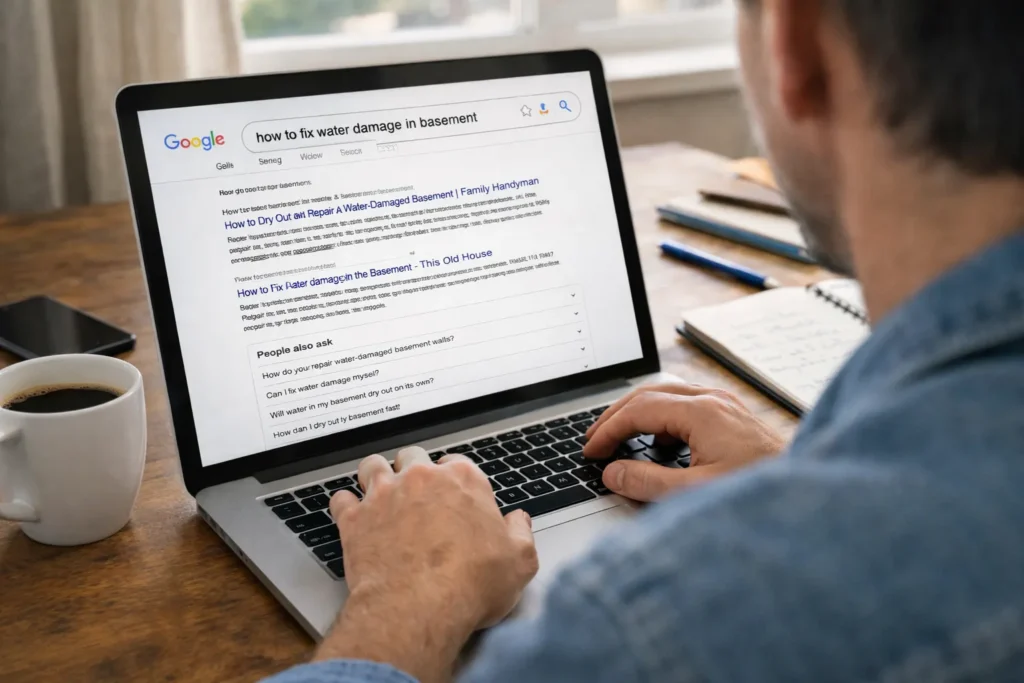
Search results also connect you with qualified leads who already need your products or services. For example, someone searching “how to fix water damage in basement” is way more likely to hire a restoration company than someone who sees a random Facebook ad while scrolling through vacation photos.

Start With High-Quality Content Your Audience Actually Needs

Start With High-Quality Content Your Audience Actually Needs

What if your content ranks on page one but no one clicks it? Well, the answer often comes down to on-page SEO, but only if you get the basics right.

That’s because page optimization controls how your SEO content appears in search engine results pages, and two elements have the largest impact on clicks.

So here are the two elements you need to focus on the most:

Title Tags and Meta Descriptions That Get Clicks

Title tags should include your primary keyword and clearly describe what the page covers. Keep them under 60 characters so they display fully in search results without getting cut off.

Meanwhile, meta descriptions work like mini advertisements, convincing searchers to click your result. We tested this with a client’s blog last year, and swapping vague titles for specific ones increased clicks by 62%.

Google Search Console generally shows which target keywords bring impressions but low clicks. Those are perfect candidates for page optimization. Also, rewrite the meta descriptions to directly answer what the user searches for.

Header Tags Keep Readers Moving Through Your Content

H2 and H3 tags usually break up long text and help readers scan for information quickly (because nobody wants to read a wall of text, especially on mobile). This structure is a core part of on-page optimisation, as it helps people find answers fast.

Besides, search engines use header tags to understand your content structure. When you organize engaging content with clear headers, it helps search engines understand which sections answer specific questions.

Link Building Through Content Marketing

The fastest way to earn backlinks is by publishing content that other websites want to reference. Frankly, you don’t need to beg for links once you do it.

When your content marketing strategy focuses on answering real questions, link building happens naturally. Your SEO content marketing strategy should include both internal and external linking opportunities.

Let’s take a closer look at how this works in practice:

Internal Links Guide Readers to Related Content

Link to other relevant pages on your site to keep visitors exploring more content. A strong internal linking structure helps search engine crawlers discover and index all your important pages.

Internal links also show how different pieces of content connect in your site structure. As a result, when search engines crawl your pages, they follow these links to understand which topics relate to each other. Plus, linking to a related article tells readers the linked page covers something useful.

Quality Content Earns Backlinks Naturally

Other websites link to helpful content when it answers questions their audience asks. Once, our customer published original case studies that earned three times more backlinks than rewriting industry news (and those backlinks came from sites that were actually important).

Beyond that, original research and unique insights attract more links than recycled information. When you become a valuable resource in your industry, other reputable websites reference your content strategy naturally. This boosts search visibility without outreach emails or guest post requests. But internal linking is just half the picture.

Keep in Mind: Wise SEO strategies combine both approaches. Therefore, your SEO content marketing strategy should build internal links first, then create content marketing pieces worth linking to from external sources.

Link Building Through Content Marketing

Track Results and Improve Your SEO Strategies

Now that your content is live, tracking performance shows what brings real traffic. But most businesses drop the ball here when they publish content and never look back.

Focus on these five areas to keep your content strategy performing well:

  • Organic Traffic Patterns Tell You What Works: Google Analytics shows exactly which blog posts drive website traffic and conversions. That’s why track organic traffic weekly to spot patterns in how people find your site and what keeps them engaged.
  • Your Website’s Visibility Needs Regular Checkups: Check search rankings to see if your SEO content strategy delivers results over time. Then set up key performance indicators in Google Analytics, like time on page, bounce rate, and conversions from organic search, to track how your content is performing.
  • Existing Content Gets Better With Updates: Adjust underperforming posts by adding fresh information or improving keyword optimization. Sometimes, updating old blog posts with fresh stats can double their traffic within three months (it’s way easier than starting from scratch).
  • Technical SEO Issues Kill Your Site’s Visibility: SEO best practices include checking for duplicate content and fixing mobile friendliness issues. Even small changes, like improving meta descriptions or structured data, can improve rankings.
  • Search Algorithms Change, So Should Your SEO Strategies: SEO success comes from testing different approaches in your SEO content strategy. What improves Search Engine Optimization SEO for one business might not work for another. Stay current with the latest SEO trends and adjust based on real data from key performance indicators.

Bottom line: Regular performance reviews help you double down on what works and fix what doesn’t.

Start Building Content That Brings Steady Traffic

Content marketing and search engines work as a team when you publish helpful answers to real questions. Your content strategy doesn’t need to be complicated. Start with one or two blog posts per month addressing problems your customers ask about.

Track what brings traffic, then create more of it. SEO and content marketing succeed when you stay consistent and adjust based on results. Besides, skip the random social media platform posts and focus on content that search engines can rank.

Ready to increase your rankings with content that converts? Octillion Corp builds SEO and content strategies for small businesses without the agency price tag. We handle the keyword research, writing, and tracking so you can focus on running your business.

Beginner’s Guide to Keyword Research for Small Business

Keyword research helps small businesses show up in Google when potential customers search for exactly what you sell. If someone types “plumber near downtown Boston” and you’re a local plumber, you want your website ranking on that first page.

You don’t need a marketing degree or expensive software to do this right. The process usually starts with questions your customers already ask and builds from there using free keyword research tools.

This beginner’s guide walks you through finding the search terms your customers use and checking if they’re worth targeting. It also shows you how to place them on the right pages so your website has a real chance to rank.

Let’s get started.

What Is Keyword Research (And Why Small Businesses Need It)?

What Is Keyword Research (And Why Small Businesses Need It)?

Keyword research is the process of finding the words and phrases your customers use on Google to find businesses like yours. Google then shows websites that naturally include those terms in their content, titles, and page structure.

Without knowing which keywords your customers use, your business can stay invisible, even when people are actively searching for what you sell.

For example, if you run a bakery in Chicago and never mention “wedding cakes near me” on your site, Google won’t show your business when someone searches for that phrase. Keyword research tools help you uncover these terms so you can add them to your website and appear in front of customers the moment they search.

For small businesses, this means you don’t need a massive marketing budget to compete. You just need to use the same words your customers type when searching.

Start with Questions Your Customers Are Already Asking

Before you open any keyword tool, start with the people closest to you: your customers. They hand you keyword ideas every time they contact your business. The questions they ask in calls, emails, or visits reveal the phrases they use when searching for services, often before they know industry jargon or your company name.

Those casual questions often translate directly into Google searches. A roofing contractor who hears “how much does it cost to fix a leaking roof” finds a high-intent keyword. Similarly, “teeth whitening options near me” from customer calls provides a dentist with another.

Start collecting these questions systematically. Keep a running list of common customer inquiries from your team, support tickets, and sales calls. These become your first keyword targets without needing research tools yet.

Free Keyword Research Tools for Beginners

You’ve collected a list of customer questions, but how do you know if people are searching for them? Free keyword research tools like Google Keyword Planner, Answer the Public, and Google Search Suggestions can help. Let’s see how they work.

Google Keyword Planner

For the most reliable free keyword tool, start with Google Keyword Planner. It shows monthly search volume for any phrase you enter, so you can see if people are searching for those terms. It also displays competition levels, helping you avoid keywords where established sites with bigger budgets already dominate. And you’ll just need a free Google Ads account to get started.

Answer the Public

Answer the Public

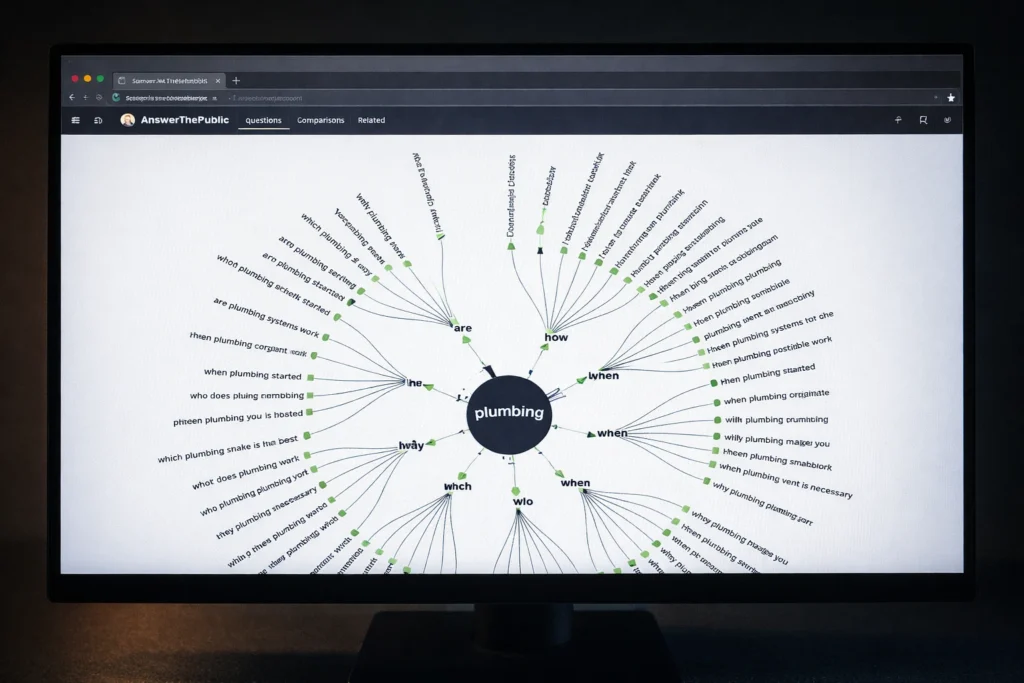
Answer the Public is a free keyword tool that takes one keyword and generates dozens of question-based keyword suggestions. For example, enter “plumbing services” and you’ll get related keywords like “how much do plumbing services cost” or “what plumbing services are tax deductible.” These long tail keyword variations come from real Google searches, so each one can become a blog post or FAQ answer.

Google Search Suggestions

Type your main keyword into Google’s search bar and watch the autocomplete suggestions drop down before you finish typing. Those suggestions come from searches millions of people have typed, making them more reliable than guessing. If autocomplete only gives you three or four ideas, scroll to the bottom of the results where “related searches” shows eight more variations.

Search Volume and Competition: How to Choose the Right Keywords

Search volume shows roughly how many times a keyword is searched on Google each month. For example, a keyword with 10,000 monthly searches means it has been typed into Google about 10,000 times, which shows it’s popular. But high search volume also usually means more competition and difficulty for a small business to rank.

If you want to rank faster, targeting a more specific long tail keyword with lower to moderate search volume (100-500 monthly searches) can bring in customers who are close to making a purchase. Just think about it. A local bakery in Chicago will likely have better results with “custom birthday cakes in Lincoln Park Chicago” than just “birthday cakes.”

Why Long Tail Keywords Bring Better Leads

Long tail keywords attract people who already know what they want, making them far more likely to become customers. Someone searching “plumber” may still be researching options. But someone typing “emergency plumber near downtown Austin” needs help right now. That specificity filters out casual browsers and connects you with customers ready to hire.

These longer, more detailed searches also face less competition from big brands because they’re usually chasing maximum reach with broad terms like “plumbing services.” A local business, however, can rank for “24-hour plumber in East Austin” within weeks, while ranking for “plumber” can take years and significant resources.

Match Keywords to the Right Pages on Your Site

Match Keywords to the Right Pages on Your Site

Throwing all your keywords onto your homepage confuses Google about what your business actually does. Each page on your site should target different keywords based on what that page offers, like this:

  • Homepage: Your broadest keyword should go here. These are usually two to three words that describe your entire business, like “Chicago bakery” or “Austin plumbing company.”
  • Service Pages: Target your service-specific keywords on these pages. If you offer multiple services, give each one its own page targeting specific long tail keywords. For example, a bakery might target “wedding cakes Chicago” on one page and “gluten-free cupcakes Chicago” on another.
  • Blog Posts: These pages answer questions customers ask during research. Someone searching “how long do custom cakes last” isn’t looking to place an order yet, but your helpful blog post keeps you top of mind.
  • Product Pages: If you sell tangible items, include exact product names and the terms people search when they’re ready to buy. For instance, a bakery could target “red velvet wedding cake,” or a hardware store could use “18-inch slate roof tiles.”

When each page targets different keywords, Google understands exactly which page to show for each search. This helps your site appear for multiple searches instead of confusing search engines with overlapping content.

Start Using Keyword Research to Attract High-Intent Customers

Choose five to ten keywords from your research that match what your best customers would type when they’re prepared to purchase. Add them naturally to your page titles, first paragraphs, and headings without forcing the same phrase into every sentence.

Not all keywords bring the same results, so track which ones generate actual phone calls or sales instead of just traffic. Google Analytics shows which search terms bring visitors to your site. You can then compare those with your customer records to see which keywords convert.

Need help identifying the right keywords for your business or implementing them across your website? Contact our team to discuss how we can help you rank higher and attract customers actively searching for your services.

SEO Mistakes That Cost Small Businesses Traffic (and How to Fix Them)

Small businesses lose customers every day to completely fixable SEO mistakes. Not because their products are worse or their service is less competitive, but because their websites send the wrong signals to Google. A title tag that doesn’t match the page, a missing meta description, or even a small technical error can push your site down the rankings.

Most owners don’t notice the issue until competitors start dominating search results while their own site slips further. By then, months of potential traffic and customers are already gone.

The good news is that the most common SEO mistakes are simple to fix. From broken title tags to missing local listings and slow page speeds, these are problems you can tackle yourself without hiring a developer or blowing your budget. Let’s break down what’s likely hurting your rankings and how to fix it today.

Keyword Mistakes That Send the Wrong Traffic to Your Site

Keyword Mistakes That Send the Wrong Traffic to Your Site

The most common keyword mistake small businesses make is targeting what they want to be found for, rather than what their customers are actually typing into Google.

Here’s what that looks like in practice:

  • Chasing broad keywords like “plumbing services” instead of high-intent phrases such as “emergency plumber in Dallas.”
  • Ranking for informational searches when your page is built to convert buyers.
  • Skipping keyword research entirely and guessing what customers might search for.

The Fix

Start with search intent. For every page on your site, ask yourself what someone actually wants when they type that query into Google. A search like “emergency plumber in Dallas” signals urgency and buying intent, while “how to fix a leaking tap” suggests someone just wants information.

Once you understand what the searcher wants, choosing the right target keyword becomes much easier, and you’ll attract visitors who are far more likely to convert.

On-Page SEO Errors That Hurt Your Rankings

A page can look perfectly fine to you and still be sending Google the wrong signals. In most situations like this, the problem comes down to two overlooked on-page elements.

Title Tags That Don’t Tell Google Anything

Title tags are one of the most important on-page SEO signals you have. They tell Google what your page is about, and they’re the first thing a potential visitor sees in search engine results pages. When a title tag is vague or stuffed with keywords, Google has a harder time understanding the page, and the ranking usually reflects that. And if you’re running multiple pages with the same title tag, Google has even less reason to rank any of them.

The Fix

Write a unique, specific title tag for each page that clearly reflects the content. Avoid vague labels like “Plumbing Services.” Instead, use a format that signals location, service, or intent, such as “Emergency Plumber in Dallas | 24/7 Same-Day Service.”

Missing Meta Descriptions and How They Affect Clicks

Missing Meta Descriptions and How They Affect Clicks

A meta description is the short line of text that shows up under your page title in search results. While they don’t affect your ranking directly, as Google’s John Mueller confirmed, they do affect click-through rates. Without a meta description, Google grabs whatever text it finds on the page, which usually reads like a sentence pulled out of nowhere. That can hurt your click rate, even if your ranking is strong.

The Fix

Create a meta description for each page, keep it under 160 characters, and treat it like a two-line pitch. Tell the visitor exactly what they’ll get by clicking, and match it to the search intent of that page.

Technical Issues Even Experienced Site Owners Overlook

One wrong setting can stop Google from crawling your site completely, and you’d never know it happened. That’s the risk with technical SEO. It deals with the behind-the-scenes elements that affect how search engines access, interpret, and index your pages. Small errors in this area often go unnoticed until they become serious ranking problems.

Some of the most common issues include:

  • Broken Internal Links: These send visitors and search engines to pages that no longer exist. The result is a 404 error, which disrupts user experience, wastes crawl resources, and weakens your site’s overall structure.
  • Duplicate Content: When the same content appears across multiple pages, Google struggles to pick a winner. Your pages end up competing against each other instead of your competitors.
  • Missing Alt Text: Alt text is a short description you add to images so search engines can understand what they show. Without it, Google has no idea what your images are about, and you miss out on image search traffic completely.
  • Canonical Tags: These tell Google which version of a page is the main one. When they’re missing or pointing to the wrong pages, Google picks for you, and it’s usually not what you want.
  • Robots Meta Tag Set to “Noindex”: This setting removes a page from search results entirely. If applied by mistake, it can wipe out organic visibility overnight, and many site owners only discover it after the damage is done.

The Fix

Run a technical SEO audit using a tool like Google Search Console. It surfaces broken links, crawl errors, core web vitals issues, and duplicate pages in one place. In our audits, we’ve found that sites left unreviewed for six months or more usually have three or four of these issues sitting undetected.

Mobile Optimization: Is Your Site Actually Mobile-Friendly?

Mobile Optimization: Is Your Site Actually Mobile-Friendly?

Test your site with PageSpeed Insights to find out. It takes seconds, shows you exactly what’s broken on mobile, and gives you a performance score for both mobile and desktop versions.

So what does it mean for your business? If your site fails on mobile, you’re losing rankings even if your desktop version is perfect. Google uses mobile-first indexing, meaning the mobile version of your page gets evaluated before the desktop version.

The Fix

Go to PageSpeed Insights, enter your URL, and run the scan. The results flag specific issues like oversized images, small tap targets, and text that’s difficult to read on a phone screen.

After you’ve fixed them, check your site on an actual phone. If you’re pinching and zooming just to read your own content, your visitors are doing the same thing before they leave.

Local SEO Mistakes Pushing Away Nearby Customers

A business owner in Austin once told us she had no idea her Google Business Profile still listed her old address from three years ago. Customers were showing up at the wrong location, and she had no idea why foot traffic had dropped.

That’s one of the most common local SEO mistakes small businesses make. Here’s what else tends to go wrong:

  • An incomplete Google Business Profile: Missing business hours, no photos, or an outdated address all reduce your chances of showing up in local search results.
  • Inconsistent Business Details: Your business name, address, and phone number need to match exactly across every directory. Even small differences can confuse search engines and hurt your local rankings.
  • No Location-Specific Content: Google relies on geographic signals to connect businesses with nearby searches. If your pages only list services without mentioning the areas you serve, you give search engines little reason to show your site to local customers.

The Fix

Start by claiming and completing your Google Business Profile if you haven’t already. Then do a quick search for your business name online and check that your details are consistent across directories like Yelp, Yellow Pages, and Facebook.

For location-specific content, add a dedicated page for each area you serve and mention local landmarks, neighborhoods, and community references where they fit naturally.

The Cost of Ignoring Schema Markup for Small Business SEO

The Cost of Ignoring Schema Markup for Small Business SEO

Schema markup is a small piece of code you add to your site to help search engines understand your content better. Without it, Google reads your page like a plain text document and has to guess what everything means. That guesswork often leads to missed opportunities, specifically the rich snippets that show star ratings, business hours, FAQs, and pricing directly in search results.

The Fix

Use Google’s Structured Data Markup Helper to add schema for your business type, location, and reviews. Then add the FAQ schema if you have a support section and service schema for your offerings. Each type can generate different enhanced features in Google, from review stars to expandable Q&A sections right in the search listing.

Once you’ve added the markup, test it using Google’s Rich Results Test to confirm it’s working. If Google can read your schema, you’re eligible for rich results. If it can’t, other businesses with a working schema will show up with richer listings and likely get the click instead.

Fix These Issues One at a Time, Starting Today

Most of the issues covered here don’t require an agency or a big budget to fix. Just run a site audit in Google Search Console, then address each problem one by one. You’ll likely start seeing improvements in your search rankings within a few weeks.

That said, don’t try to fix everything at once. Start with your weakest area and work from there. Small, consistent improvements add up faster than one big overhaul.

If you’d rather have an experienced team handle it, Octillion works with small businesses to identify and fix exactly these kinds of SEO issues. Get in touch and we’ll take a look at what’s holding your site back.

Affordable SEO for Small Business: How to Get Big Results Without Big Budgets

Getting big results on a small budget ultimately comes down to focusing on what search engines reward. That means relevant content, a well-structured website, and consistent local SEO effort. Affordable SEO services can make that possible for small businesses.

And yet, a lot of small business owners assume SEO is only for big companies with deep pockets. That assumption quietly costs them traffic, leads, and customers every single month. With the right approach, even a modest budget can drive organic traffic, pull in local customers, and build your visibility in search results over time.

So where do you start? This article walks you through how to build a cost-effective SEO strategy that fits your budget and still delivers. Let’s get into it.

What Is Affordable SEO for Small Businesses?

Affordable SEO planning

Affordable SEO is search engine optimization priced for what small businesses can realistically spend. In practice, it basically means instead of paying for every visitor as you do with ads, your website earns its position in search results and holds it.

Let’s take a quick look at what’s included:

  • Organic Rankings vs. Paid Ads: A well-optimized page brings in traffic for months or even years. Paid ads, on the other hand, stop delivering the moment your budget runs out.
  • What It Covers: Most affordable SEO services include keyword research, on-page SEO fixes, and local SEO setup. These three areas make small businesses findable on Google, and they’re where your budget delivers the most value early on.
  • Why Google Rewards It: Low-cost SEO that follows Google’s guidelines builds trust with search engines over time. Sites that earn that trust rank higher in search results than those relying on shortcuts.

Start here, and your SEO efforts build on each other with every passing month. The next section shows you exactly how to set that plan up on a budget.

How to Build a Small Business SEO Strategy on a Budget

Most small business owners assume SEO costs thousands per month. It doesn’t because, at the end of the day, results come from what you focus on, not the size of your budget. Our tests revealed that sites targeting keyword research, high-impact pages, and progress tracking consistently ranked better.

Here’s how to approach each one.

Start With Keyword Research

Here’s a quick tip: not every keyword is worth targeting.

For example, a florist in Austin targeting “same day flower delivery Austin” will pull in far more relevant traffic than one targeting just “flowers.” That’s the whole point of keyword research: finding what your local customers are already typing into Google.

What’s more, tools like Google Trends show you which search queries are gaining traction in your area, so you won’t be guessing.

Focus on High-Impact Pages First

Your homepage, main service page, and contact page are where potential customers land first. These are the pages that directly connect to your services and drive real business outcomes. A good SEO strategy starts here.

Use Free Tools to Track Progress

Google Search Console shows you exactly how your website performs in Google search. You can see which pages rank, which search queries bring people in, and where your SEO campaigns are paying off. Without that data, you’re basically making decisions based on guesswork, and that’ll get expensive quickly.

Once you know where your website stands, fixing it becomes a lot more straightforward. On-page SEO is where that work happens.

On-Page SEO: The Free Wins You Shouldn’t Ignore

Planning Keyword placement

On-page SEO costs nothing to do yourself. It covers the changes you make directly on your website, and Google pays close attention to all of them. Google’s SEO Starter Guide is a solid reference point while working through your site.

Focus on these areas first.

  • Title Tags and Meta Descriptions: Believe it or not, fixing a single title tag can shift where your page shows up in Google. From there, your meta description does the next job, giving potential customers a clear reason to click your link over everyone else’s.
  • Keyword Placement on Relevant Pages: Relevant keywords placed naturally on your relevant pages help search engines understand what each page is about. The problem is that forced placement hurts your rankings, so write for your reader first.
  • Site Structure and Internal Links: Internal links tell Google how your pages relate to each other, which directly influences how each page ranks in search results. And when your site structure is clean, search engines can index every page without missing anything.

These three areas are free to fix and worth doing before anything else. Get them right, and your pages give search engines what they need to rank. From there, local SEO is where your visibility really starts to grow.

Local SEO: How to Show Up in Google’s Search Results Near You

When someone nearby searches for what you sell, local SEO is what determines whether your business shows up or gets skipped. It targets people who are already looking in your area, right now.

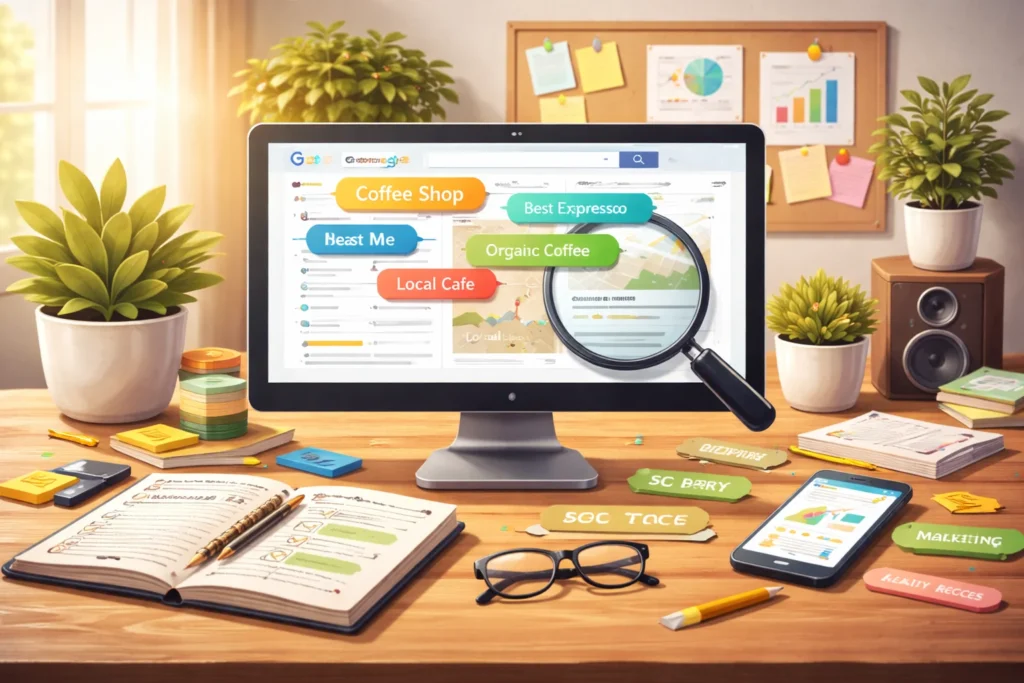
Based on what we’ve seen across our client campaigns, businesses with a properly set up local SEO presence start gaining visibility in Google’s search results within the first few weeks. So where do you begin?

These three areas cover the most ground:

Google Business Profile

Based on your Google Business Profile, Google decides when to show your business in local search results. Think of it as your digital storefront, and Google won’t send customers to a shop with the shutters down. So, we always suggest filling out every field because incomplete profiles consistently rank lower.

Google Maps Visibility

Most mobile local searches end up on Google Maps before they ever reach a regular search results page.

Basically, real photos, online reviews, and regular updates all signal to Google that your business is active. And that signal directly improves where you show up in Maps results (a profile with no photos and zero reviews tells a story, too, just not the one you want).

Online Directories and Local Citations

Your business name, address, and phone number need to match exactly across every platform, including Yelp, Yellow Pages, and any local directories in your area.

We emphasize this because search engines cross-check these details across other sites. Besides, anything inconsistent tells Google your listing isn’t reliable, and your local SEO rankings drop as a result.

Getting your local SEO right puts you in front of people who are ready to buy. And once that foundation is solid, it’s worth knowing which low-cost SEO services can take things even further.

Low-Cost SEO Services Worth Paying For

To be honest, most small businesses end up paying for bloated packages full of services that never improve their rankings. And if an agency can’t explain what they’re doing in plain English, that’s a red flag worth paying attention to.

Here’s a breakdown of low-cost SEO services that deliver real results:

Service

Why It’s Worth It

Technical SEO audit

Finds site errors that block search engines from indexing your pages

Link building

Earns high-quality links from other sites to build your authority in search results

Content strategy

Targets the right search queries with pages and posts that grow over time

Google Business Profile setup

Gets your local SEO foundation right from day one

These are the services a good SEO company leads with because they fix real problems. HubSpot’s SEO plan guide is a useful reference for prioritizing without overspending. With the right services in place, your SEO campaigns have a solid foundation.

But there’s one more shift happening in search that small businesses need to know about.

Generative Engine Optimization

Generative Engine Optimization

Google’s results page has changed greatly in recent years. Instead of showing links, it now pulls direct answers from websites and displays them before anyone clicks. Small businesses that write clearly and answer questions directly are already appearing in these spots.

So how do you get there? Well, you’ll need the help of generative engine optimization. It’s the practice of formatting your content so that AI platforms like Google’s AI Overviews pull from your pages when answering user questions.

Answer engine optimization works along the same lines. It focuses on getting your content to appear as direct answers at the top of Google’s search results, including blue links and SERP features.

From our experience, plain and conversational language performs better in these results. In that case, you’ll need to write clearly, answer questions directly, and make sure every page on your site addresses what your potential customers are searching for.

You Don’t Need Deep Pockets to Rank Well

Small businesses often lose ground in search results simply because SEO feels too expensive to pursue. But affordable SEO services exist precisely to close that gap, and they work.

This article walked you through building a small business SEO strategy on a budget. We covered on-page SEO, local SEO, low-cost SEO services, and generative engine optimization, each one a real step toward ranking on Google.

Hold your horses, you don’t have to figure it out alone. Our team at Octillion Corp will take you through every step you need to build real visibility, bring in local customers, and grow your rankings with a plan built around your budget. Your next customer is already searching.

Let’s make sure they find you.

Local SEO in 2026: A Step-by-Step Playbook for Small Businesses

If your business isn’t showing up when nearby customers search for what you offer, you’re handing sales to competitors who are actively ranking. Because search engines send ready-to-buy customers to whoever shows up first.

In 2026, local visibility is essential for small businesses to attract high-intent customers. Local SEO helps make this possible by helping your business appear in relevant searches when customers are ready to act.

This guide walks you through the most effective local SEO tips, from setting up your Google Business Profile to tracking what drives results. And by the end, you’ll have a clear plan you can start using right away.

What Is Local SEO and Why It Directly Impacts Local Revenue

Local SEO is the practice of optimizing your online presence so you show up when nearby customers search for what you offer.

And where you appear is important, because most people don’t scroll past the first few results. The top three listings tend to capture most of the clicks, and the map pack usually takes the largest share (the three businesses shown in Google’s map results). If you’re not there, you’re essentially missing most of the visibility in your area.

But the thing is, visibility alone isn’t what makes local SEO powerful. What truly sets it apart from regular SEO is intent, which refers to what a person is trying to accomplish when they search.

For example, someone searching “emergency plumber in Dallas” isn’t just looking for information. They need help immediately and are usually ready to contact or hire a business.

That kind of high-intent search often converts at a much higher rate than general research queries. For small businesses, this means reaching the right people in your area at the moment they’re ready to act, and that’s exactly what local SEO helps you do.

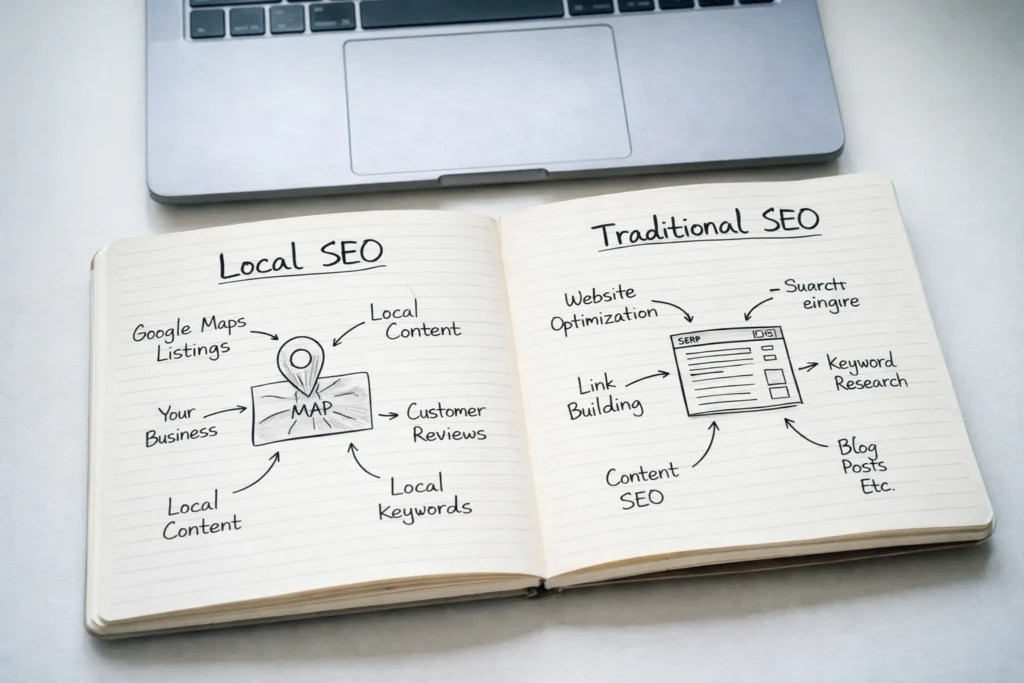
Local SEO vs. Traditional SEO: What Changes When You Go Local?

Local SEO vs. Traditional SEO: What Changes When You Go Local?

You could rank on page one nationally and still not attract local customers. That’s exactly the gap local SEO is designed to close.

 Traditional SEO Local SEO 
Target Audience Broad, nationwide or global Nearby customers in a specific location 
Ranking Factors Content, backlinks, site authority Proximity, Google Business Profile, local citations 
Google Search Results Standard blue link results Map pack, local search results 
Keywords General terms Location-based keywords 
Goal Drive overall website traffic Drive foot traffic and local leads 

Traditional SEO focuses heavily on content quality, backlinks, and domain authority, while local SEO adds physical proximity as a major ranking factor. Google considers how close your business is to the searcher, which means two businesses with identical websites can rank completely differently depending on their location.

That’s why local businesses need a different strategy than national brands. Ranking nationally doesn’t guarantee you’ll show up in your own area.

Optimizing Your Google Business Profile for Maximum Local Visibility

A fully optimized Google Business Profile puts your business on Google Maps and in the local pack, right where high-intent customers are searching. It’s free, yet most businesses only complete the basics and leave significant visibility on the table.

Let’s start with the details many businesses overlook.

The Core Business Details That Influence Rankings First

To get your listing up and running, start with these core details:

  • Your business name
  • Address and phone number
  • Business category
  • Hours of operation
  • Website URL
  • Service areas

When you fill in every available field, Google has more to work with when matching your profile to nearby searches. Think of it like a job application. The more complete it is, the better your chances of getting noticed.

Photos, Posts, and Overlooked Competitive Signals

We’ve seen plenty of business owners upload a couple of photos at setup and never return. Meanwhile, their competitors keep updating and that consistency doesn’t go unnoticed.

Regular photo uploads and posts signal that a listing is active. That activity can influence how often your business appears in local results compared to competitors with stale profiles. Even small updates, like adding a photo or posting a weekly offer, keep your listing fresh.

And businesses that go months without updates often see their visibility slip, even if their reviews and other factors stay strong.

Building Local Citations That Strengthen Trust and Rankings

Building Local Citations That Strengthen Trust and Rankings

A local citation is any online mention of your business name, address, and phone number (NAP). The more places this information appears accurately, the more confident Google becomes that your business is legitimate and should rank for local searches.

Here’s what to focus on:

  • NAP Consistency: Your business name, address, and phone number should match as closely as possible across every directory. Even small differences, like “St.” vs “Street” or including/excluding suite numbers, can create conflicting signals that affect your rankings. So audit your listings quarterly to catch inconsistencies before they become a problem.
  • General Directories: Established platforms like Google Business Profile, Yelp, Foursquare, and your local chamber of commerce are reliable places to build your presence. Google trusts these directories, and they generate enough traffic to put your listing in front of potential customers actively searching in your area.
  • Industry-Specific Directories: The more relevant your directories are to your field, the stronger the signal you send to Google. A restaurant benefits from profiles on TripAdvisor and OpenTable, while a contractor gets more visibility through Houzz. These category-specific listings reinforce what your business does, which improves your chances of showing up in local searches within your niche.
  • Avoid Low-Quality Directories: Not every directory is worth your time. Sites with thin content, excessive ads, or no real traffic may harm your credibility with Google, so focus on directories where your target customers are actually searching.

We recommend building 10-15 quality citations across general and industry-specific directories. It’s better to have accurate information on 15 directories than inconsistent listings across 50.

Local Keyword Strategy: Finding and Using Search Terms That Convert

Local keywords help connect your business with customers who’re ready to hire. For example, someone searching “landscaping tips” is likely browsing for information, while someone searching “landscaper in Portland” is probably ready to hire help right away.

Local keywords combine what you offer with a specific location, pulling in people who are ready to hire. Plus, the difference between ranking and not ranking often comes down to using them in the best places.

Where Local Keywords Belong on Your Website

Where Local Keywords Belong on Your Website

Your Google Business Profile tells Google where you are and what you do. Your website needs to reinforce that with local keywords in page titles, headers, meta descriptions, and body content. Without those location signals, Google can’t confidently match your site to local searches.

From there, each service page should target a specific location and service combination. For example, “residential landscaping in Northeast Portland” instead of just “landscaping services.” This specificity helps Google match your pages to relevant search queries from your area.

How to Find Local Keywords Worth Targeting

Start with Google Keyword Planner to see which location-based terms get searched in your area. Search volume tells you whether “Portland landscaper” gets more searches than “Portland lawn care,” data that replaces guessing.

Tools like Ahrefs and Semrush go further by showing keyword difficulty and what competitors rank for. This helps you prioritize terms you can realistically win instead of chasing impossible keywords. If “landscaper Portland” has 50 competing businesses, but “landscape design West Linn” has 5, the easier target makes more sense for your strategy.

Together, these tools build a keyword list based on actual search behavior, not assumptions.

Getting Customer Reviews and Putting Them to Work

Reviews are one of the strongest ranking factors in local search. A recent Search Atlas study found that for businesses ranking in positions 1 through 21, review count influences about 19% of ranking decisions. But in the top ten, that numberrises to 26%, which means reviews become even more important as you move closer to the first position.

Review keyword relevance also plays an important role here. The words customers use in their reviews account for about 22% of the top ten rankings. That means a review mentioning phrases like “fast plumbing repair in Austin” can help your rankings more than a generic “great service” review.

But reviews don’t just influence rankings, they influence decisions, as well. People often read reviews before contacting a local business, and what they find often determines whether they call you or your competitor.

Thankfully, getting more reviews doesn’t require a complicated system. You just have to ask. It could be in person, via email, or through your social media platforms. Most happy customers are willing to leave a review. They just need a small nudge.

Measuring Your Local SEO Performance Without the Noise

Measuring Your Local SEO Performance Without the Noise

Local SEO isn’t about watching graphs go up. It’s about real customers taking action. To see whether your efforts are translating into business growth, keep an eye on these four areas:

  1. Map Pack Rankings: Your position in the local pack is one of the clearest indicators of how your local SEO is performing. Tools like BrightLocal or Google Search Console help you monitor your keyword positions over time, so you can see whether your efforts are paying off.
  2. Google Business Profile Insights: If you want a quick read on how your listing is performing, your Business Profile dashboard is the place to check. It shows how many people viewed your profile, clicked your website, or asked for directions. Those actions tell you whether people are discovering your business and taking the next step.
  3. Review Velocity: It’s not just about how many reviews you have, it’s also about how consistently you’re getting new ones. A steady stream of fresh reviews signals to Google that your business is active, which supports your rankings consistently.
  4. Website Traffic from Local Searches: Google Analytics lets you filter traffic by location, showing how many visitors are coming from your target area. If that number is growing alongside your ranking improvements, it’s a good sign your SEO growth is heading in the right direction.

Check these regularly, and you’ll quickly see which actions lifted your rankings and which ones wasted your time.

Ready to Show Up Where Your Customers Are Looking?

Local SEO rewards consistency more than budget. The local businesses that show up first aren’t always the biggest or most established. They’re usually the ones who got the basics right and kept showing up.

Start with your Google Business Profile, build your local citations, and create content that targets the search terms your customers are actually using. These are the best practices that move the needle for most small businesses, and none of them requires a big budget.

If you want help putting these local SEO tips into action, Octillion Corp works with local businesses across Australia to build search visibility that actually drives results. Reach out and let’s talk about what’s possible for your business.

Why Transparent Reporting Matters More Than Ranking Bragging

Transparent reporting is more important than focusing on ranking bragging, as it shows what truly grows your business: leads, conversions, and revenue. Ranking reports just indicate keyword positions that don’t reflect what customers see or how much money you’re making.

We are Octillion Corp, and we help Australian businesses track these metrics. When teams can clearly understand these numbers, they make better decisions and increase revenue.

In this article, we’ll cover what transparent reporting looks like and why ranking reports fail businesses. You’ll also learn what metrics you should track instead, plus the biggest reporting mistakes to avoid.

Ready? Let’s get started.

What Is Transparent SEO Reporting?

What Is Transparent SEO Reporting?

Transparent SEO reporting means sharing raw data from tools like Google Analytics and Google Search Console. It also involves explaining metrics in plain language and providing context for every change, like traffic going up or down.

Time to get into more detail about these reports.

Real Data Without Manipulation

One of the positive things about clear-cut SEO reporting is that you receive the actual numbers. Suppose your traffic went down. Then you’ll know that it went down without having to analyze data. Likewise, if your conversions improved, you see exactly how many new leads came in (honestly, that clarity feels rare).

But where do these data come from?

Your agency pulls them straight from Google Analytics without going through any data analysis process. Specifically, they show you screenshots with dates, compare month-over-month performance, and never hide metrics that appear unimpressive.

Clear Explanations Without Jargon

The truth is, nobody needs a PhD in data analysis to understand their search engine optimization report. So, if your agency provides a transparent record to you, they will do it without adding complex ideas from regression analysis that make reports harder to follow.

The best part is you’ll actually know what you’re paying for. When your report says “bounce rate increased by 12%,” your agency explains that means more people left your site without clicking anything, and why it happened.

Here’s another example. Instead of throwing around terms like “SERP volatility,” your agency will say “Google changed how it ranks pages.”

See how much easier it becomes when you get clear reports?

Regular Updates With Full Context

data analysis

A lot of people think monthly reports are just data dumps, whereas in reality, they tell the story behind the numbers.

For instance, your agency will send updates showing what changed since last month while avoiding unnecessary statistical analysis that complicates simple trends. They’ll also share why it changed, and what it holds for next month. That means if your traffic dropped, they’ll explain if it was seasonal, an algorithm update that hit everyone, or something specific to your site.

Context like that is important for making new decisions. Once you know that your competitor also lost 20% traffic, you wouldn’t feel like going overboard with your judgments (which is all you required).

Pro tip: Layer CRM data over your SEO traffic to see which keywords bring high-value customers.

Why Do Ranking Reports Fail Businesses?

Ranking reports fail because they show keyword positions without providing the quantitative data that tells the actual story. Not only that, but they also don’t connect to authentic revenue or leads and focus on useless metrics.

Here’s a detailed list of why these reports damage your business:

  • Personalized Search Results: Google shows different rankings based on location and search history. That means your agency’s report might say position three, but customers in different cities see completely different results. Ranking tools can’t capture this personalization.
  • No Revenue Connection: You could rank number one for a dozen keywords and still make zero dollars if those keywords don’t bring in buyers. For example, a plumber ranking first for “history of plumbing” won’t get emergency repair calls.
  • Vanity Metrics Hide Problems: Large numbers can sound great, yet mean absolutely nothing. Like, you might see 50,000 impressions but get only 200 clicks. In the same manner, your domain authority might rise, but traffic and conversions remain down.

When the reports mislead you, you end up fixing problems you never had.

What Should You Track Instead of Rankings?

What Should You Track Instead of Rankings?

You should track organic traffic from qualified visitors, lead and conversion rates, and revenue that comes directly from SEO. In our experience, many data analysis methods used in ranking reports are misleading.

We’ll walk you through each of the metrics now.

Organic Traffic From Qualified Visitors

You should monitor monthly organic search traffic trends using Google Analytics data. But wait, don’t just count visitors. Here’s why.

A jump from 5,000 to 8,000 monthly visitors sounds great until you realize half of them are bouncing within five seconds. An automated SEO reporting tool usually misinterprets those numbers. Rather, you want people who stick around, click through multiple pages, and actually read your content (that’s what counts in the end).

Also, don’t forget to track if visitors match your target audience and customer profile. Plus, measure time on site and pages viewed per session to figure out if you’re attracting the right crowd or just random traffic that does nothing for your business.

Lead Generation and Conversion Rates

We recommend counting form submissions and demo requests from organic search visits, and you can track this without using data mining techniques. These people are raising their hands, saying they want to talk to you.

Take this example. If 10,000 people visit your site and only 20 fill out a contact form, that’s a 0.2% conversion rate. That’s why you should calculate how many organic visitors convert into qualified leads each month, then watch this number over time for a clearer picture. It’s a simple step that doesn’t require advanced data analysis techniques.

Pro tip: Track conversion rate improvements after implementing SEO strategy changes. This way, you’ll know what’s working.

Revenue Attribution From SEO

It’s important to connect your organic traffic to sales with the help of quantitative analysis. And tools like Google Analytics ecommerce tracking make that easy. For instance, if you see that a $5,000 SEO investment brought in $25,000 in sales, that’s an obvious win.

The idea behind tracking these numbers is clear: you can show that every dollar spent on SEO returns five dollars in revenue (suddenly, nobody questions your budget).

What Are the Biggest SEO Reporting Mistakes?

What Are the Biggest SEO Reporting Mistakes?

The biggest SEO reporting mistakes include overwhelming clients with too much data but zero insights and reporting activities instead of results. These errors destroy trust and make clients question whether SEO is even worth the money.

Avoid the following SEO reporting mistakes:

  • Drowning Clients in Data: When you send fifty-page reports filled with unnecessary statistical modeling (complex math-based analyses for interpreting data and making predictions), it doesn’t help anyone. What happens in reality is that your client opens the PDF, sees 30 graphs, and has no idea what any of it means or what to do next.
  • Reporting Efforts Instead of Outcomes: Listing completed tasks like “published 12 blog posts” means nothing if those articles brought in zero leads. Rather, make it a habit of showing how it impacted their business and not just how busy you were last month.
  • Missing Context and Benchmarks: Has your client’s traffic dropped? Be sure to check the competitor’s traffic as well. Clients panic when agencies don’t mention that competitors dropped even harder due to algorithm updates. So, always compare against industry trends and previous performance baselines.
  • Mixing Branded and Non-branded Keywords: If you put all keyword performance together, it hides the real picture, even if the data visualization looks clean at first glance. Like, you might rank first for your company name, but nowhere for terms that actually bring new customers.
  • Relying on One Data Source: The worst thing about single-tool reporting is that it feels precise while being completely wrong. For this reason, we suggest tracking trends over time instead of fixating on exact numbers from a single source.

So what’s the takeaway? Simpler reporting would save everyone’s sanity.

Your Next Steps With SEO Reporting

Now you know why you should stop accepting reports that brag about keyword positions while hiding the important metrics. You deserve to see organic traffic trends, conversion rates, and revenue attribution.

In other words, transparent SEO reporting is how you know your investment is working.

If you’re ready to work with an affordable SEO agency in Australia, contact us today. Let us help you with clear data that connects directly to your business goals.