

Keyword research helps small businesses show up in Google when potential customers search for exactly what you sell. If someone types “plumber near downtown Boston” and you’re a local plumber, you want your website ranking on that first page.
You don’t need a marketing degree or expensive software to do this right. The process usually starts with questions your customers already ask and builds from there using free keyword research tools.
This beginner’s guide walks you through finding the search terms your customers use and checking if they’re worth targeting. It also shows you how to place them on the right pages so your website has a real chance to rank.
Let’s get started.
What Is Keyword Research (And Why Small Businesses Need It)?

Keyword research is the process of finding the words and phrases your customers use on Google to find businesses like yours. Google then shows websites that naturally include those terms in their content, titles, and page structure.
Without knowing which keywords your customers use, your business can stay invisible, even when people are actively searching for what you sell.
For example, if you run a bakery in Chicago and never mention “wedding cakes near me” on your site, Google won’t show your business when someone searches for that phrase. Keyword research tools help you uncover these terms so you can add them to your website and appear in front of customers the moment they search.
For small businesses, this means you don’t need a massive marketing budget to compete. You just need to use the same words your customers type when searching.
Start with Questions Your Customers Are Already Asking
Before you open any keyword tool, start with the people closest to you: your customers. They hand you keyword ideas every time they contact your business. The questions they ask in calls, emails, or visits reveal the phrases they use when searching for services, often before they know industry jargon or your company name.
Those casual questions often translate directly into Google searches. A roofing contractor who hears “how much does it cost to fix a leaking roof” finds a high-intent keyword. Similarly, “teeth whitening options near me” from customer calls provides a dentist with another.
Start collecting these questions systematically. Keep a running list of common customer inquiries from your team, support tickets, and sales calls. These become your first keyword targets without needing research tools yet.
Free Keyword Research Tools for Beginners
You’ve collected a list of customer questions, but how do you know if people are searching for them? Free keyword research tools like Google Keyword Planner, Answer the Public, and Google Search Suggestions can help. Let’s see how they work.
Google Keyword Planner
For the most reliable free keyword tool, start with Google Keyword Planner. It shows monthly search volume for any phrase you enter, so you can see if people are searching for those terms. It also displays competition levels, helping you avoid keywords where established sites with bigger budgets already dominate. And you’ll just need a free Google Ads account to get started.
Answer the Public
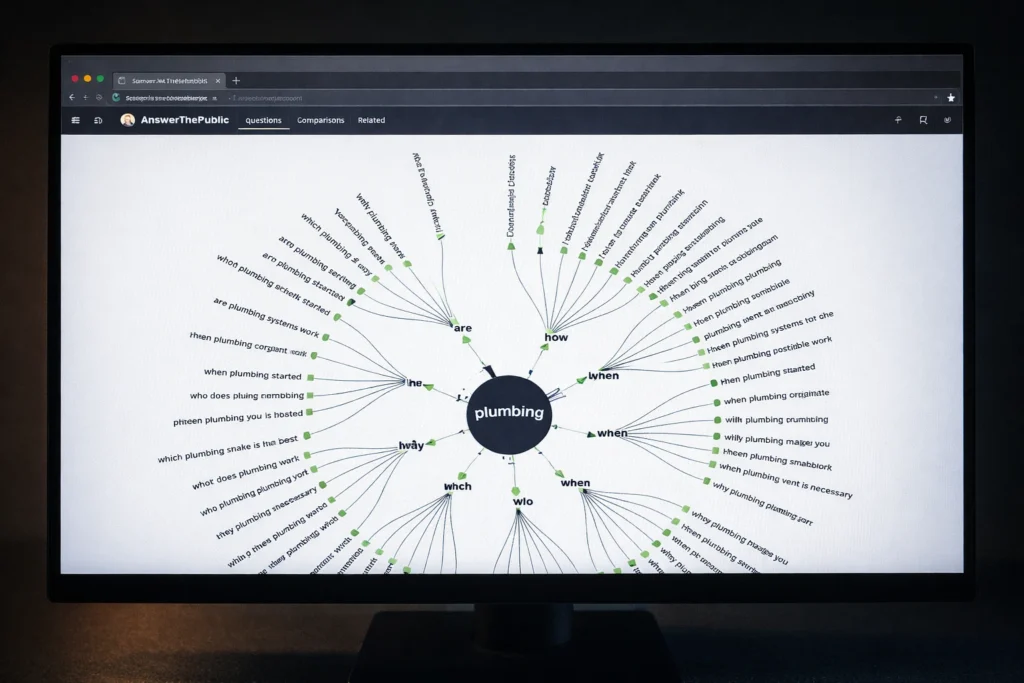
Answer the Public is a free keyword tool that takes one keyword and generates dozens of question-based keyword suggestions. For example, enter “plumbing services” and you’ll get related keywords like “how much do plumbing services cost” or “what plumbing services are tax deductible.” These long tail keyword variations come from real Google searches, so each one can become a blog post or FAQ answer.
Google Search Suggestions
Type your main keyword into Google’s search bar and watch the autocomplete suggestions drop down before you finish typing. Those suggestions come from searches millions of people have typed, making them more reliable than guessing. If autocomplete only gives you three or four ideas, scroll to the bottom of the results where “related searches” shows eight more variations.
Search Volume and Competition: How to Choose the Right Keywords
Search volume shows roughly how many times a keyword is searched on Google each month. For example, a keyword with 10,000 monthly searches means it has been typed into Google about 10,000 times, which shows it’s popular. But high search volume also usually means more competition and difficulty for a small business to rank.
If you want to rank faster, targeting a more specific long tail keyword with lower to moderate search volume (100-500 monthly searches) can bring in customers who are close to making a purchase. Just think about it. A local bakery in Chicago will likely have better results with “custom birthday cakes in Lincoln Park Chicago” than just “birthday cakes.”
Why Long Tail Keywords Bring Better Leads
Long tail keywords attract people who already know what they want, making them far more likely to become customers. Someone searching “plumber” may still be researching options. But someone typing “emergency plumber near downtown Austin” needs help right now. That specificity filters out casual browsers and connects you with customers ready to hire.
These longer, more detailed searches also face less competition from big brands because they’re usually chasing maximum reach with broad terms like “plumbing services.” A local business, however, can rank for “24-hour plumber in East Austin” within weeks, while ranking for “plumber” can take years and significant resources.
Match Keywords to the Right Pages on Your Site

Throwing all your keywords onto your homepage confuses Google about what your business actually does. Each page on your site should target different keywords based on what that page offers, like this:
- Homepage: Your broadest keyword should go here. These are usually two to three words that describe your entire business, like “Chicago bakery” or “Austin plumbing company.”
- Service Pages: Target your service-specific keywords on these pages. If you offer multiple services, give each one its own page targeting specific long tail keywords. For example, a bakery might target “wedding cakes Chicago” on one page and “gluten-free cupcakes Chicago” on another.
- Blog Posts: These pages answer questions customers ask during research. Someone searching “how long do custom cakes last” isn’t looking to place an order yet, but your helpful blog post keeps you top of mind.
- Product Pages: If you sell tangible items, include exact product names and the terms people search when they’re ready to buy. For instance, a bakery could target “red velvet wedding cake,” or a hardware store could use “18-inch slate roof tiles.”
When each page targets different keywords, Google understands exactly which page to show for each search. This helps your site appear for multiple searches instead of confusing search engines with overlapping content.
Start Using Keyword Research to Attract High-Intent Customers
Choose five to ten keywords from your research that match what your best customers would type when they’re prepared to purchase. Add them naturally to your page titles, first paragraphs, and headings without forcing the same phrase into every sentence.
Not all keywords bring the same results, so track which ones generate actual phone calls or sales instead of just traffic. Google Analytics shows which search terms bring visitors to your site. You can then compare those with your customer records to see which keywords convert.
Need help identifying the right keywords for your business or implementing them across your website? Contact our team to discuss how we can help you rank higher and attract customers actively searching for your services.